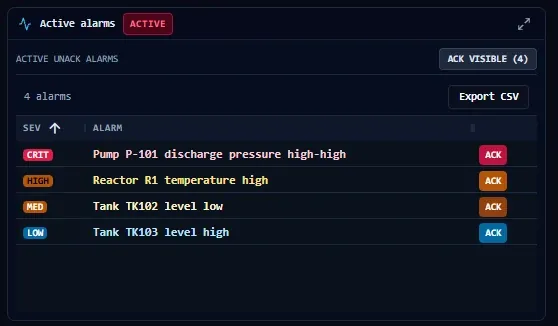
Alarm summary card
The active alarms on a card: priority badge, alarm, value and state, most urgent first, with an ACK button on each unacknowledged alarm and an ACK VISIBLE (n) button. It has no settings: it lists every active alarm the signed-in user may see, scrolling when they do not fit. For filters by area, class and priority, use the alarm summary screen object.
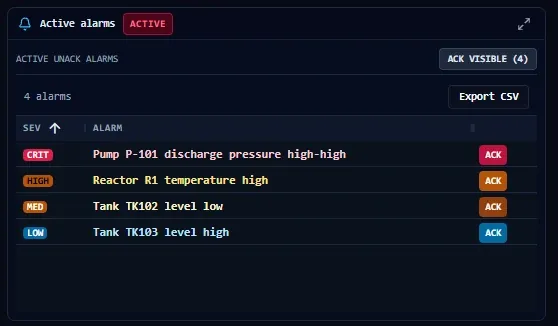
| Card palette | Display Widgets › ISA-18.2 Alarms Summary |
| Card kind | alarm_summary (body.widget) |
| Default size | 5 × 4 grid cells |
Settings
Section titled “Settings”Double-click the card (or select it and press Enter) to open its settings. The settings are stored in the card’s body.params.
Actions
Section titled “Actions”ACK opens the acknowledgement dialog for that alarm: the acknowledging user is the signed-in user (shown read-only) and the reason is required (it starts empty). ACK VISIBLE (n) acknowledges the n unacknowledged alarms the card shows (after the list’s filter, never the hidden ones) in one dialog that names them; it is disabled at 0. Nothing is sent until the dialog is confirmed, and a refusal is shown in the dialog. In Edit layout and in the screen designer nothing is acknowledged.
Quality and parameters
Section titled “Quality and parameters”Values come with their quality: a Bad or Uncertain value is marked on the card, and a value not yet received shows a dash, never an invented number. A card on a screen with parameters takes {Name} in its tag paths.
Examples
Section titled “Examples”Alarms next to the line’s KPIs
Section titled “Alarms next to the line’s KPIs”The alarm card on a line dashboard, so the operator sees the alarms next to the values they concern.
- Click ISA-18.2 Alarms Summary in the dashboard palette.
- Resize it to 5 × 4 cells; title
Active alarms.