

Require an e-signature to deploy
Make every deploy of a project an electronic signature: the person who deploys re-enters their password over a meaning that states exactly what is published, and the server publishes exactly that.
Before you start
Section titled “Before you start”| The setting | Require e-signature to deploy, per project, in the Project manager’s Operator runtime section. |
| Default, new project | On (a new project, and the project of a new installation). |
| Default, existing project | Off, shown as “Off (default for projects created before this version)”: an upgrade changes nothing. |
| Who deploys and signs | Lead_Engineer or Administrator, signed in with a password session. The deployer signs their own deploy. |
| Who never signs | API tokens and the AI co-pilot account: with the setting on, their deploys are refused. |
| Turn it on | Lead_Engineer or Administrator; no signature needed. |
| Turn it off | Lead_Engineer or Administrator, with their own e-signature. |
| Edition | Every edition. |
1. Turn the setting on
Section titled “1. Turn the setting on”- Open Project → Project settings… and go to Operator runtime.
- Tick Require e-signature to deploy. It is saved at once; the line under it says On: deploys are e-signed.
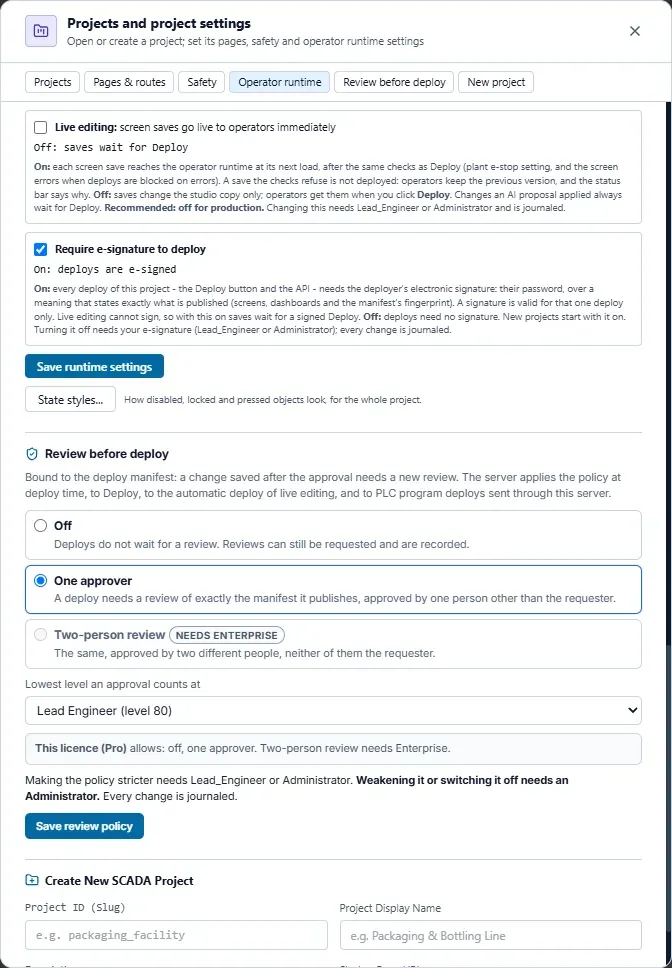
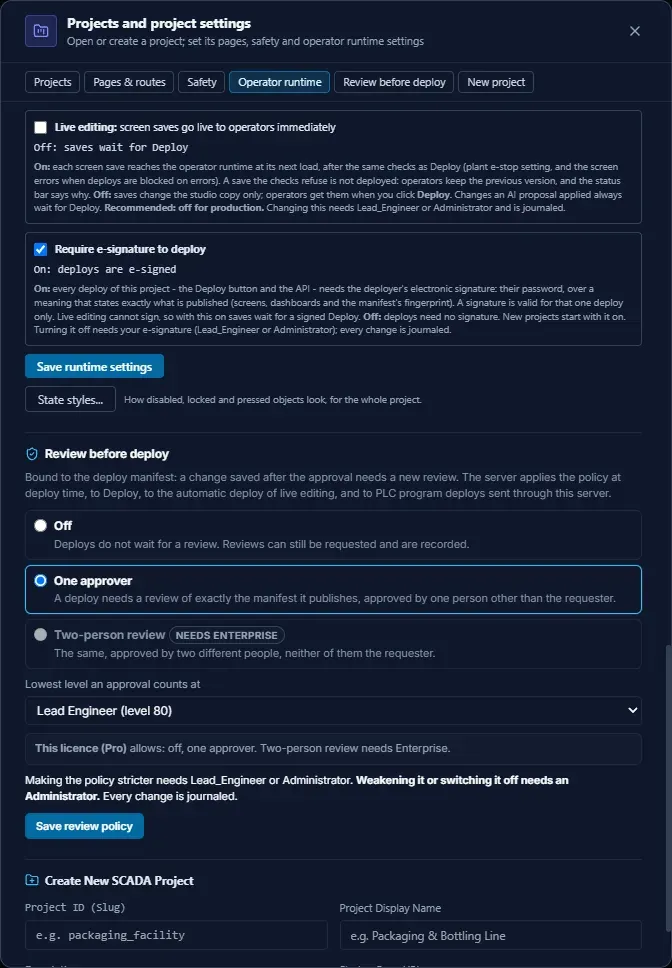
The change is saved against the project’s revision: if the project changed meanwhile, it is refused and you reopen the Project manager. A project save never changes the setting.
2. Deploy with your signature
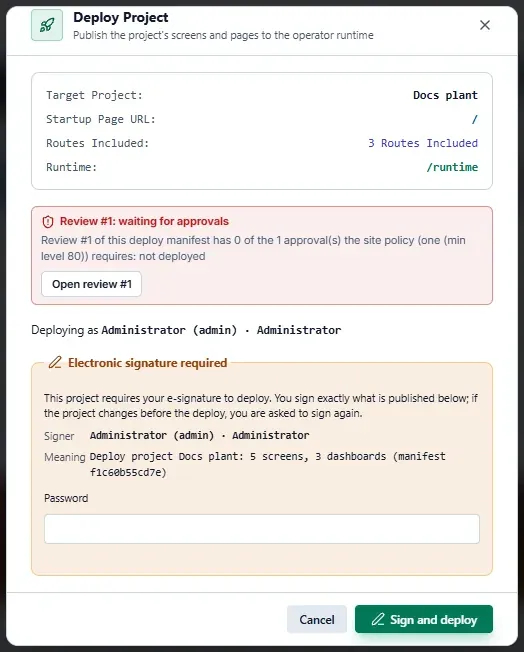
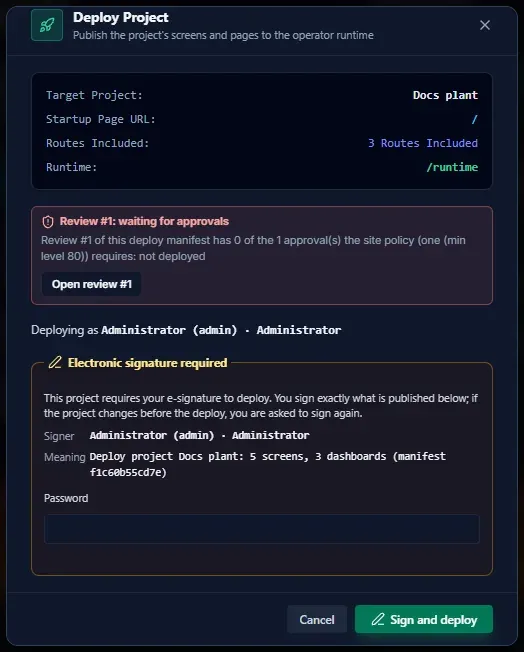
Section titled “2. Deploy with your signature”- Click Deploy. With the setting on, the dialog has an Electronic signature required block:
- Signer: you, the signed-in user, read-only;
- Meaning: what the server says the deploy publishes, for example
Deploy project Docs plant: 5 screens, 3 dashboards (manifest f1c60b55cd7e); - Password: empty, never filled in for you.
- Check the meaning, enter your password and click Sign and deploy.
What the server checks:
- One signature per deploy. The password gives a one-time signature ticket, bound to you, to this project and to the manifest’s hash. It is used by the deploy that follows and cannot be used again.
- Bound to the manifest. The server builds the manifest again when you sign and when you deploy. If anything was saved in between (by you or someone else), the signature is refused and you sign the new meaning. The deploy publishes exactly the signed manifest.
- The deployer signs. A signature made by another person is refused.
- With review before deploy, the approved review and the signature must be for the same manifest.
- Order of the deploy checks: the review gate, then the acknowledgement of what the deploy changes, then the signature, then the plant e-stop setting and the screen errors. A deploy that fails the signature changes nothing. The plant e-stop signal itself moves only after every check and the
DEPLOYrecord, right before the screens go live:DEPLOY,PROJECT PLANT_ESTOP_TAG,DEPLOY_SIGNED,DEPLOY_DONE.
- Product
- Service or process
- Data store
- Person or role
- Data or telemetry
- Configuration or deploy
- Authentication
- Refusal
Read as text
The Studio asks the eaxScada server what the deploy publishes and shows that meaning. The deployer's password, sent with the hash that was shown, gives a one-time ticket bound to the signer, the project and the manifest hash; when the project was saved since, nothing is signed. The Deploy then carries the ticket: the server runs the deploy checks in order, redeems the ticket against the manifest it builds at that moment, and only when every check passes records DEPLOY, moves the plant e-stop signal if it has to, publishes the signed manifest and records DEPLOY_SIGNED and DEPLOY_DONE.
Participants
- Deployer (person or role): signed in
- Studio (service or process): Deploy dialog
- eaxScada (product): server
- Audit trail (data store)
Steps, in order
- Deployer → Studio (data or telemetry): Clicks Deploy
- Studio → eaxScada (data or telemetry): GET …/deploy-esign
- eaxScada → Studio (reply): subject: hash and meaning. of the manifest built now
- Deployer → Studio (authentication): Password. Sign and deploy
- Studio → eaxScada (authentication): POST …/deploy-esign/ticket. password, purpose "deploy", hash shown
- Nothing is signed:
- eaxScada → Studio (refusal): 409 manifest_changed. saved since: the new subject to sign
- eaxScada → Studio (refusal): No ticket: 403. wrong password, API token or AI co-pilot
- Signed:
- eaxScada → Audit trail (data or telemetry): ESIG_OBJECT_TICKET_ISSUED. recorded first: no record, no ticket
- eaxScada → Studio (reply): One-time ticket, 60 s. bound to signer, project, manifest hash
- Studio → eaxScada (configuration or deploy): POST …/deploy. signature_ticket
- eaxScada: Deploy checks, in order: 1 review before deploy; 2 acknowledgement of changes; 3 e-signature: the ticket; 4 plant e-stop setting; 5 screen errors
- Check 3 refuses:
- eaxScada → Audit trail (data or telemetry): DEPLOY_SIGNATURE_REFUSED
- eaxScada → Studio (refusal): 403 deploy_signature_refused. or deploy_signature_required: no ticket. Nothing changes
- Every check passes:
- eaxScada → Audit trail (data or telemetry): DEPLOY. recorded first
- eaxScada → Audit trail (data or telemetry): PROJECT PLANT_ESTOP_TAG. first, when the e-stop signal moves
- eaxScada: Publishes the manifest: built again under the lock; it has the signed hash
- Note: Saved meanwhile: not published, signal moved back, DEPLOY_SIGNATURE_REFUSED
- eaxScada → Audit trail (data or telemetry): DEPLOY_SIGNED, DEPLOY_DONE
- eaxScada → Studio (reply): Deployed
A wrong password signs nothing: the dialog stays open with its message and an empty password field, and you stay signed in. It counts toward the account lockout, as every electronic signature does (the fifth wrong password locks the account for 15 minutes).
3. Live editing waits for a signed deploy
Section titled “3. Live editing waits for a signed deploy”The automatic deploy of live editing cannot sign. With the setting on, a screen save never reaches the operators by itself: the automatic deploy is refused (fail closed), operators keep the previous deployed version, and the status bar says signature required. Deploy from the Studio to publish the saves.
4. Turn the setting off
Section titled “4. Turn the setting off”- Clear Require e-signature to deploy.
- The Studio asks for your signature: the signer (you), the meaning
Turn off "Require e-signature to deploy" for project <name> (revision <rev>)and your password. - Confirm. The line says Off.
The signature is bound to the project revision you change it from: a signature cannot be replayed on a later state of the project.
The API
Section titled “The API”| Call | Who | What |
|---|---|---|
GET /api/dev/projects/{id}/deploy-esign |
Lead_Engineer, Administrator | require_deploy_esign, require_deploy_esign_default (true: the project predates the setting), signer; when on, subject (hash, meaning, screens, dashboards) and disable_meaning |
POST /api/dev/projects/{id}/deploy-esign/ticket |
the signed-in person | body {"password", "purpose": "deploy" | "disable", "hash"}; answers a one-time ticket |
POST /api/dev/projects/{id}/deploy |
Lead_Engineer, Administrator | body {"signature_ticket": "..."} when the project requires it; with "ack": {"preview_hash", "reason"} when the deploy changes command targets, scripts or the write policy (Deploy preview API) |
PUT /api/dev/projects/{id}/deploy-esign |
Lead_Engineer, Administrator | body {"require_deploy_esign": true | false, "signature_ticket": "..."} (the ticket only to turn it off); If-Match: the project revision it is changed from |
The acknowledgement is checked before the signature: a deploy refused for its acknowledgement (409 deploy_preview_ack_required or deploy_preview_stale) does not use the ticket.
For a deploy, hash is the subject.hash the person was shown. For turning the setting off, sign with purpose: "disable". The answer holds ticket, expires_at and the meaning signed; the ticket is valid for 60 seconds.
Refusals:
| HTTP | Code | When |
|---|---|---|
403 |
deploy_signature_required |
a deploy without a ticket; an automatic deploy |
403 |
deploy_signature_refused |
a ticket that is not the deployer’s, not this project’s, for another manifest, already used or expired; an API token; the AI co-pilot account |
409 |
manifest_changed |
(ticket) the project changed since the person was shown what to sign: the answer holds the new subject |
403 |
signature_refused (status) |
(ticket) a wrong password, an unknown or disabled signer, an API token, the AI co-pilot account |
429 |
(ticket) the account is locked (the fifth wrong password locks it for 15 minutes) | |
400 |
(ticket) no password | |
503 |
(ticket) the server could not hand out a ticket (too many open, HA store); 503 AUDIT_NOT_WRITTEN when the signature could not be recorded |
|
401 |
no session (sign in again); never a wrong password | |
403 |
setting_signature_required |
turning the setting off without a ticket |
403 |
setting_signature_refused |
turning it off with a ticket that is not the changer’s, or for another revision |
409 |
(setting) If-Match names an older project revision: read the project again |
Journal events
Section titled “Journal events”Each is written to the access audit and the operations audit:
| Event | When |
|---|---|
DEPLOY_SIGNED |
a signed deploy: the signer, the meaning and the manifest hash |
DEPLOY_SIGNATURE_REFUSED |
a deploy refused by the signature step, or one whose project changed while it was deployed |
PROJECT_DEPLOY_ESIGN_CHANGED |
the setting turned on or off; off names the signer and the meaning |
PROJECT_DEPLOY_ESIGN_CHANGE_REFUSED |
turning it off refused (no signature, a wrong one, or a role that may not) |
ESIG_OBJECT_TICKET_REJECTED |
a signature refused when the ticket was asked for |
AUTO_DEPLOY_REFUSED |
an automatic deploy refused (here: it cannot sign) |
In the project document
Section titled “In the project document”require_deploy_esign: absent (a project from before the setting: off), true or false. It is changed through PUT .../deploy-esign only; a project save keeps the stored value.