

Shapes and text
Vector shapes, lines, pipes, curves, text and groups: the drawing primitives of a screen.
| Object | Name | What it is for |
|---|---|---|
 | Rectangle | A plain rectangle with rounded corners: the building block for panels, frames, area backgrounds and status tiles. |
 | Circle | A circle, for indicator lamps, flanges and round symbols. |
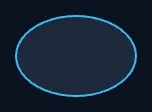 | Ellipse | An ellipse with its own horizontal and vertical radius, for vessel heads, oval panels and highlights. |
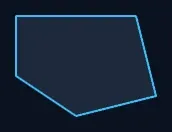 | Polygon | A freeform polygon: an outline through a list of points, closed and filled or left open. |
 | Regular polygon | A polygon with equal sides (3 to 24): triangles for warning symbols, hexagons for markers, octagons for stop signs. |
 | Ring | A ring between an inner and an outer radius: pipe flanges, nozzles, round bezels and status rings around a symbol. |
 | Arc | A part of a ring, from an inner to an outer radius, sweeping an angle. |
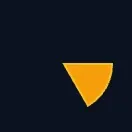 | Wedge | A pie slice: a sector of a circle from its centre, sweeping an angle. |
 | Star | A star with 3 to 20 points between an inner and an outer radius: highlight marks, favourites and burst symbols. |
 | Line | A line through a list of points, drawn with the designer's line tool: signal lines, leader lines from a label to its equipment, and simple connections. |
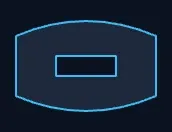 | Path | A shape drawn from SVG path data (M, L, C, Q, A, Z commands), which can have holes and several separate parts. |
 | Pipe | A process pipe through a list of joints: a dark casing, a coloured core and a dashed flow line along its centre. |
 | Curve | A smooth cubic curve through four control points, with a soft glow, optional arrowheads and an optional animated flow along it: signal paths, energy flows and connections that should not look like process piping. |
 | Text | A text: titles, labels and live value readouts. |
 | Group | A group keeps several objects together: they move, copy, align and hide as one. |