

Link a PLC to eaxCloud
Enrol this PLC with eaxCloud, see the state of its link, or disconnect it. The page is the eaxPLC counterpart of eaxScada’s Settings > Cloud.
eaxCloud is in early access: see eaxCloud for what is available today.
What the link does
Section titled “What the link does”- Outbound and read-only. The PLC sends a heartbeat (version, edition, uptime, run state, scan statistics, active faults). Nothing from the cloud reaches the PLC or its scan, and eaxPLC has no remote-control switch: the page says so, read-only.
- The PLC makes its own key. Only its public part goes to the cloud. The enrolment token is sent once, to the cloud address you give, and is never stored, logged or returned.
Before you start
Section titled “Before you start”- Reading the page: any signed-in user.
- Enrolling and disconnecting: an Administrator, signed in on this PLC’s own pages. Never the AI co-pilot account, and never through an eaxCloud remote session (not even the status): a session that came through eaxCloud never re-enrols, disconnects or re-points the PLC it came through.
- In eaxCloud: open the site and choose Enrol a node, then copy the cloud address and the token. The token works once, for 10 minutes.
1. Open the page
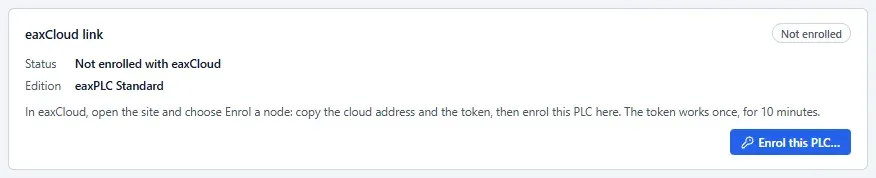
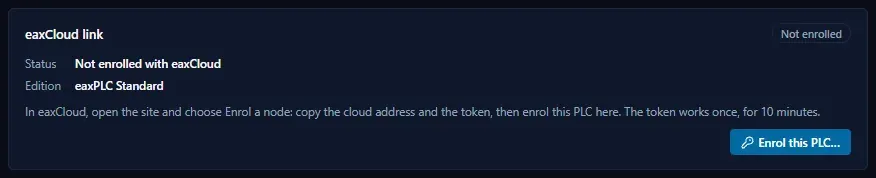
Section titled “1. Open the page”Choose File > Cloud. The eaxCloud link card shows the state, the cloud and the site and node once enrolled, the edition, the connection, the last heartbeat, who enrolled the PLC and when, and the node’s public key.
| State | Meaning |
|---|---|
| Not enrolled | No link. |
| Connecting | Enrolled; the link is being opened. |
| Connected | The heartbeat goes out. |
| Cloud unreachable | The PLC runs on; the link tries again by itself. |
| Key refused by the cloud | The node was removed or its key revoked in eaxCloud: disconnect here and enrol again with a new token. |
| Enrolment unreadable | The enrolment files on this PLC cannot be read: disconnect, then enrol again with a new token. |
| Switched off on this PLC | The PLC runs with --cloud=false: it is enrolled but sends nothing. |
2. Enrol the PLC
Section titled “2. Enrol the PLC”- Click Enrol this PLC….
- Enter the Cloud address (
https://, orhttp://to this computer only) and the Enrolment token (it starts witheaxe1_). - Click Enrol.
The page says Enrolled. The link connects within a few seconds. The token field is a password field: it is never pre-filled and is emptied after every submit. The PLC records CLOUD_ENROLLED, with the signed-in user.
When eaxCloud refuses the enrolment, the dialog shows its answer on the field it concerns. The PLC records CLOUD_ENROL_FAILED with the HTTP status and the cloud’s answer, cleaned first: one line of at most 512 bytes, with tokens, keys and any other long opaque string replaced by [redacted].
3. Disconnect
Section titled “3. Disconnect”- Click Disconnect….
- Give a Reason (it is recorded in the audit trail) and click Disconnect.
The link stops and this PLC’s cloud key and credentials are deleted. The PLC keeps running. Enrolling again needs a new token; remove the node in eaxCloud too. The PLC records CLOUD_DISCONNECTED.
Result
Section titled “Result”The PLC sends its heartbeat to eaxCloud, or no longer does. Nothing in the running program changes either way.
Troubleshooting
Section titled “Troubleshooting”| Message | Cause and fix |
|---|---|
| The eaxCloud link is not available through a remote session: do it on site. | You opened the Studio through eaxCloud. Enrol or disconnect from the PLC’s own pages. |
| The cloud address must start with https:// | Only https://, or http:// to this computer, is accepted. |
| This is not an enrolment token (it starts with eaxe1_). | Copy the whole token from Enrol a node in eaxCloud. A token works once, for 10 minutes. |
| The buttons are missing | You are not an Administrator: the page says who may enrol and disconnect. |