

Search and replace across the project
Find every place a name or a text appears in the project, open each one, and change it everywhere in one step. The replace only edits your drafts: you still save, test and deploy as usual.
Before you start
Section titled “Before you start”- The PLC keeps a project (the Studio shows the Changes view and the project tree).
- Anyone signed in can search. To preview, apply or undo a replace you are an engineer (Lead_Engineer or Administrator). The AI co-pilot cannot replace.
- To replace in a POU you must have it checked out.
1. Search
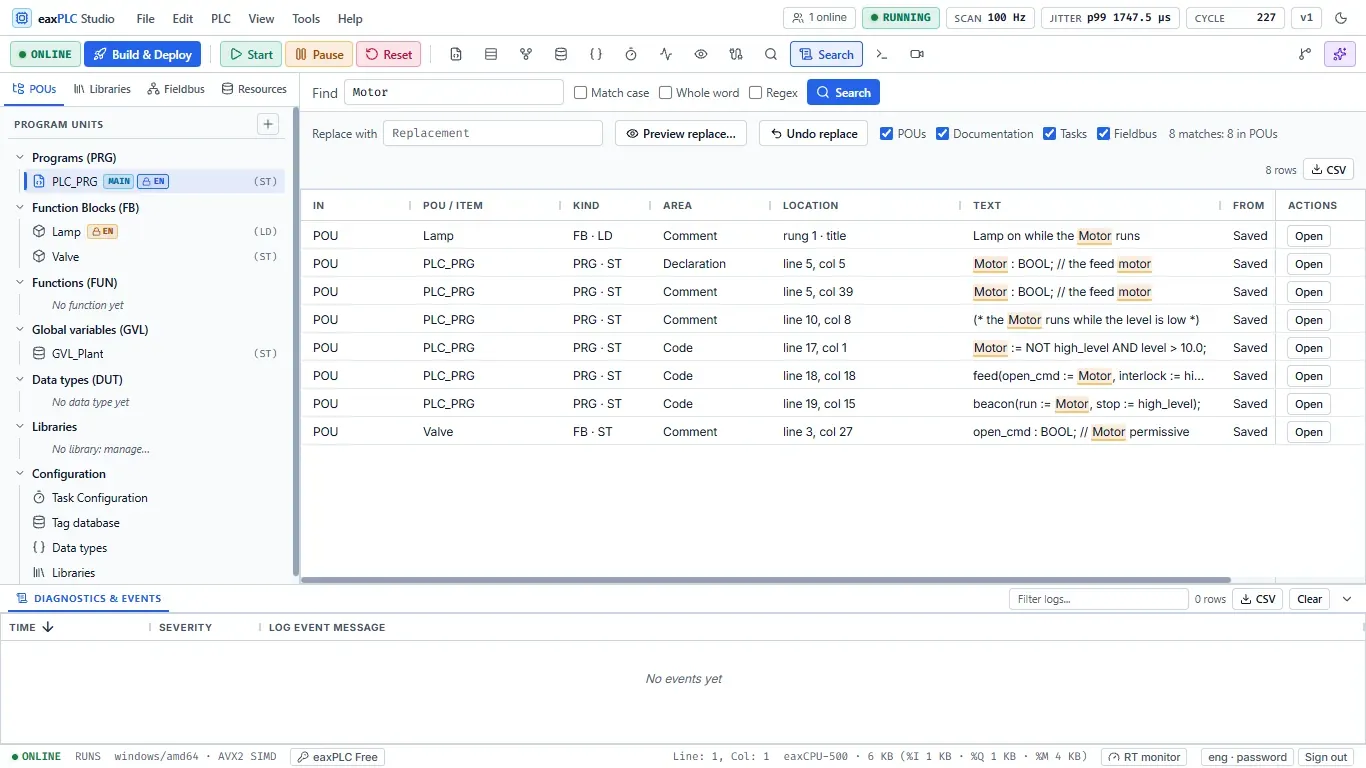
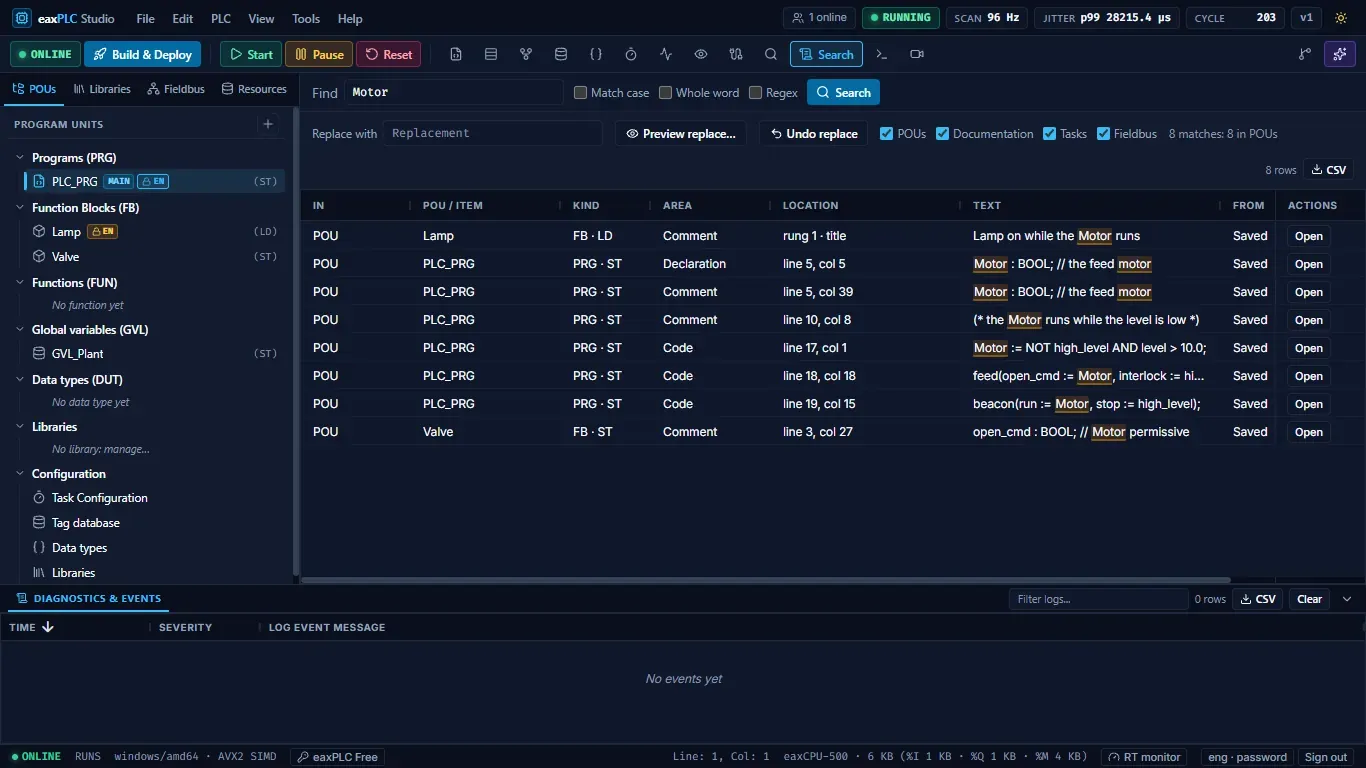
Section titled “1. Search”- Click Search in the toolbar, choose View → Search the project, or press Ctrl+Shift+F. With text selected in an editor, Ctrl+Shift+F searches for the selection.
- Type in Find and press Enter (or click Search).
- Narrow the search if you need to:
- Match case, Whole word (no letter, digit or
_right before or after the match), Regex (a regular expression; in the replacement,$1or${name}insert a group). - Search in: POUs, Documentation, Tasks, Fieldbus (all ticked by default).
- Match case, Whole word (no letter, digit or
What is searched
Section titled “What is searched”| Place | What |
|---|---|
| ST POUs | The code, the declarations and the comments (the Area column says which). |
| Ladder POUs | The declarations, the operands of contacts, coils and blocks, and the rung titles and comments. |
| Documentation | The variables’ documentation (unit, description…). |
| Tasks | The task configuration. |
| Fieldbus | The fieldbus mapping. Keys that hold passwords, secrets, tokens or private keys are skipped. |
For a POU you have checked out and edited, the search reads your draft; otherwise the saved POU. The From column says Your draft or Saved.
The results
Section titled “The results”The matches are in a grid with a filter per column, a quick filter, sorting and CSV export. Open, a double click or Enter jumps to the place: the POU at the line (ST), the ladder at the rung, or the tasks or fieldbus view. The summary line counts the matches per place.
A search stops at 2000 matches and says so: narrow it. The search text and the replacement are at most 512 bytes each.
2. Preview the replace
Section titled “2. Preview the replace”- Type the new text in Replace with.
- Click Preview replace…. Your pending edits in the open editor are sent as your draft first.
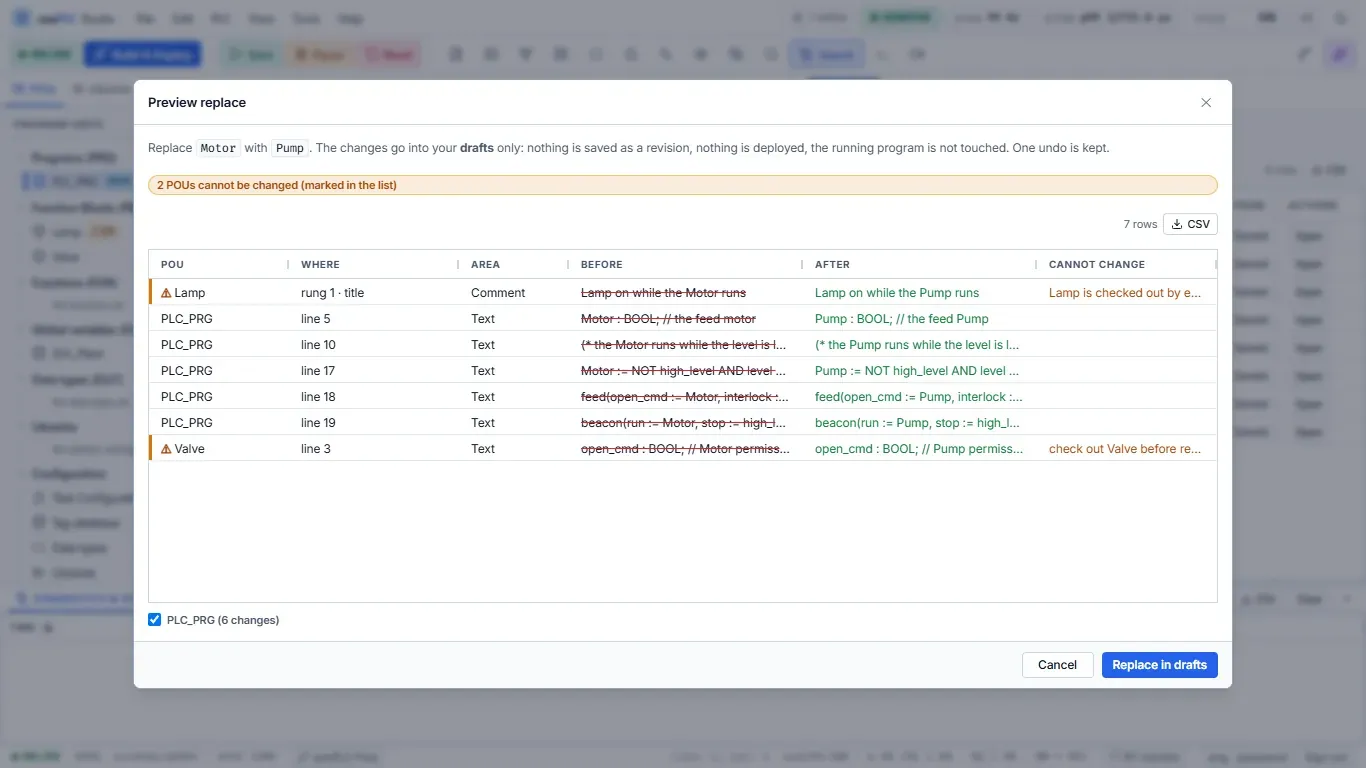
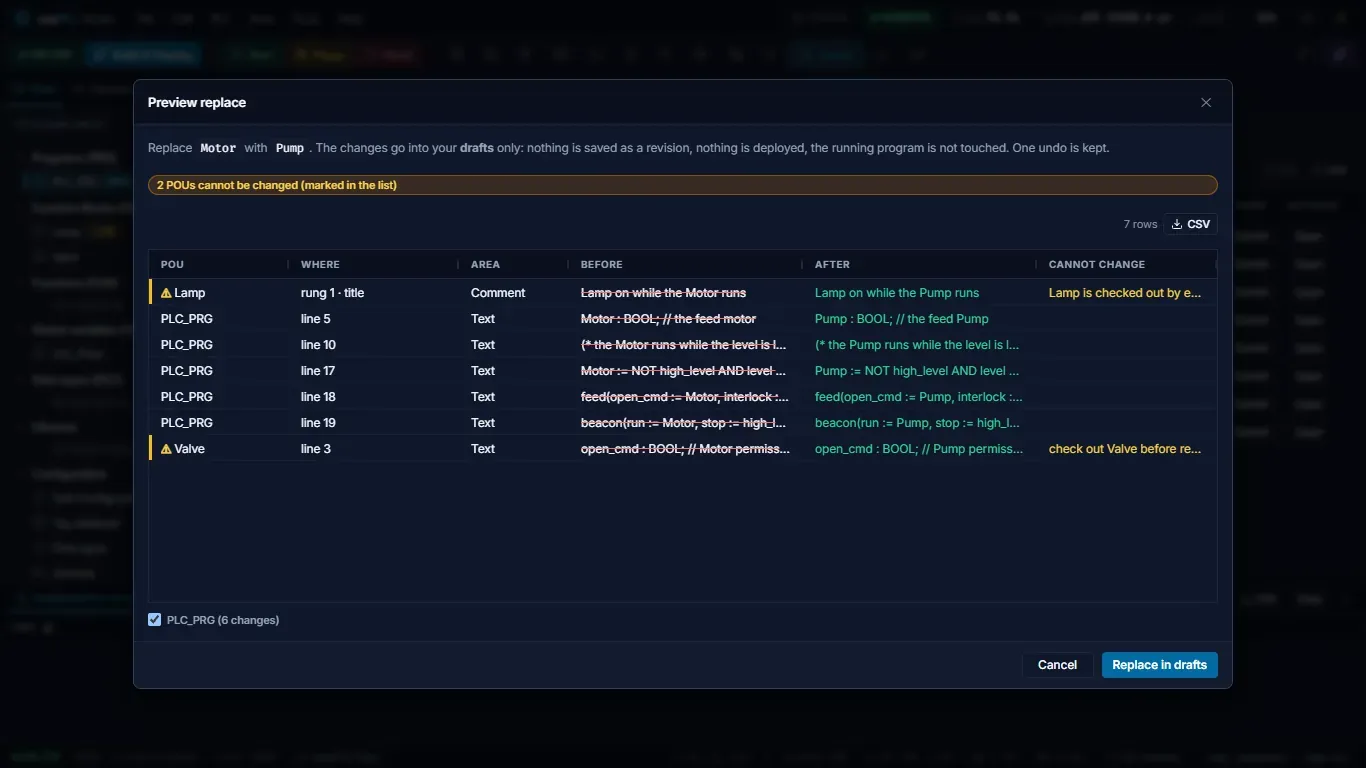
- The Preview replace dialog lists every line that would change, with Before and After. Only POUs are replaced: matches in the documentation, the tasks and the fieldbus mapping are found but never changed.
- POUs that cannot change are marked with a warning and say why in Cannot change:
- check out X before replacing in it (you do not hold its lock);
- X is checked out by <user>: only the holder changes it;
- your draft of X is based on rev N, the POU is at rev M: reload it first;
- X belongs to the library L: it is read-only;
- X is sealed: unseal it before changing it.
- Below the grid, untick any POU you want to leave out.
3. Apply it
Section titled “3. Apply it”Click Replace in drafts. The Studio sends each POU you kept with a hash of the content the preview showed. The PLC applies the whole replace or nothing:
- a POU that changed since the preview, is not checked out by you, or is read-only refuses the whole request: no draft is written (
423without the lock,409otherwise). Preview again. - in a ladder POU, the operands and comments are replaced in the diagram and its ST is generated again by the PLC.
The log says Replaced N occurrences in the drafts of … (not saved, not deployed; Undo is available). The open editors reload the drafts. The replace is recorded in the audit trail (PROJECT_REPLACE).
Then save the POUs and use Test edits or Build & Deploy as for any edit (Make online edits).
4. Undo
Section titled “4. Undo”Undo replace puts back the drafts your last replace changed, as they were before (or removes the drafts it created). It asks first. One undo is kept per user.
The undo is refused, and nothing is put back, when one of those drafts has changed since the replace (edited, saved or released), when you no longer hold its lock, or when the POU is gone. Recorded as PROJECT_REPLACE_UNDONE.
What a replace never does
Section titled “What a replace never does”- It never saves a revision, never changes the running program and never deploys: drafts are never linked into a program.
- It never changes a POU you have not checked out, a library POU or a sealed POU.
- It never changes the task configuration, the fieldbus mapping or the documentation.