

Verify and purge the report archive
Show that the report files in the archive are exactly the ones that were written, and remove old unsigned reports once their retention has passed, with a record of who removed what.
You need reports_view to verify the runs you may open, and reports_admin to see the archive’s use and to purge. A purge also needs your password (an e-signature) and is done by a person in the Studio or over a browser session, never with an API token, never by the AI co-pilot and never through eaxCloud remote access.
Find a run in the archive
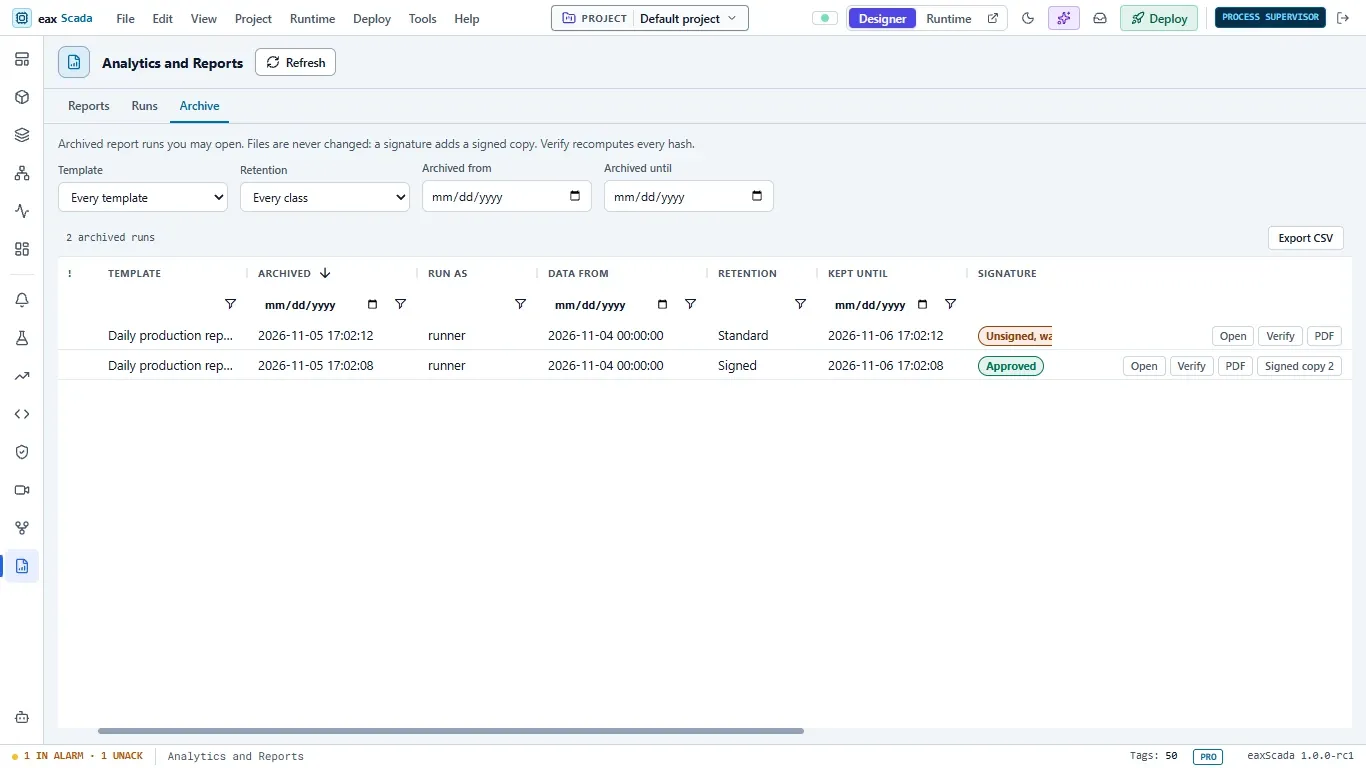
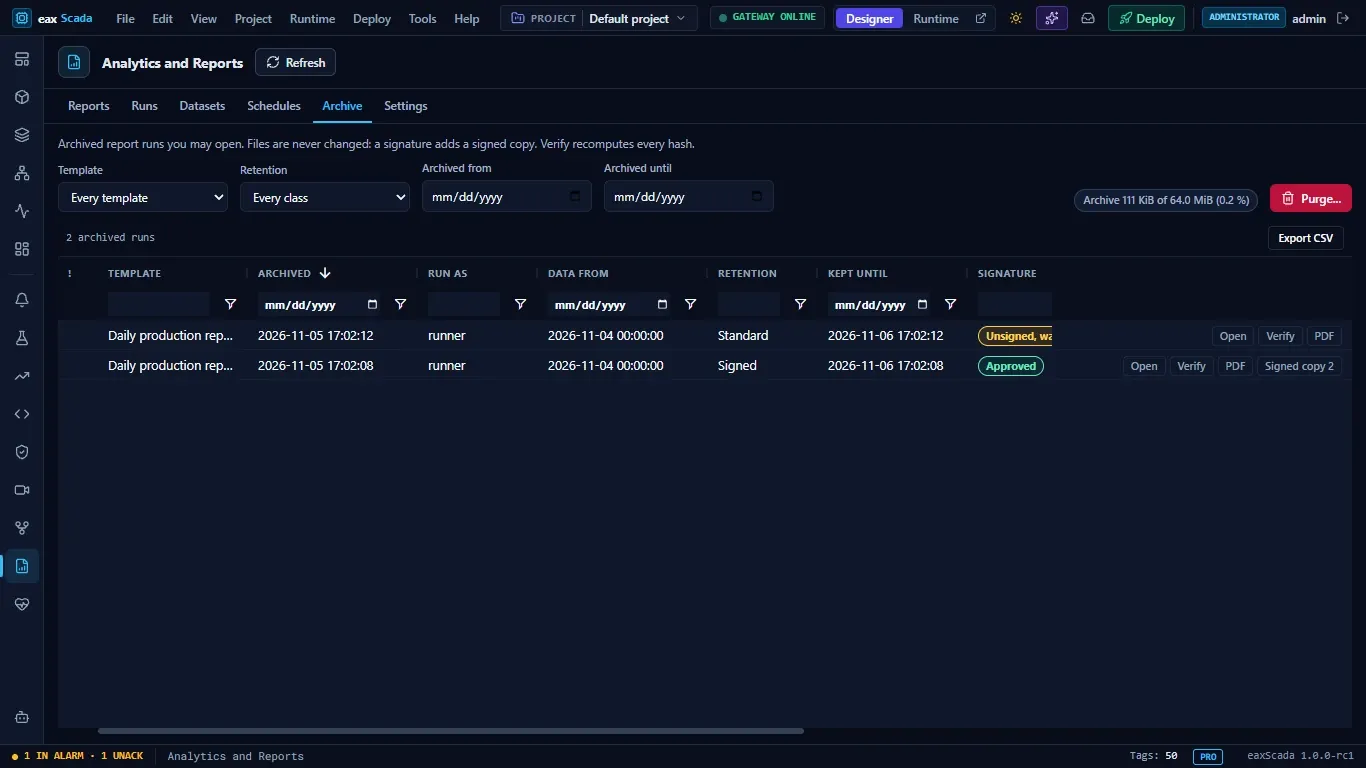
Section titled “Find a run in the archive”Open Analytics and Reports > Archive. It lists the archived runs you may open: yours, those whose tags you may all read, and, for a reports administrator, every run. Filter by Template, Retention class, Archived from (UTC) and Archived until (UTC) (UTC days), or with the column filters. Each row shows when it was archived, who ran it, the period of its data, its retention class and Kept until date, its signature state and its integrity. The dates are in UTC, whatever your browser’s zone: Archived (UTC), Data from (UTC), Data to (UTC), Kept until (UTC), also in Export CSV and the column filters.
Verify a run
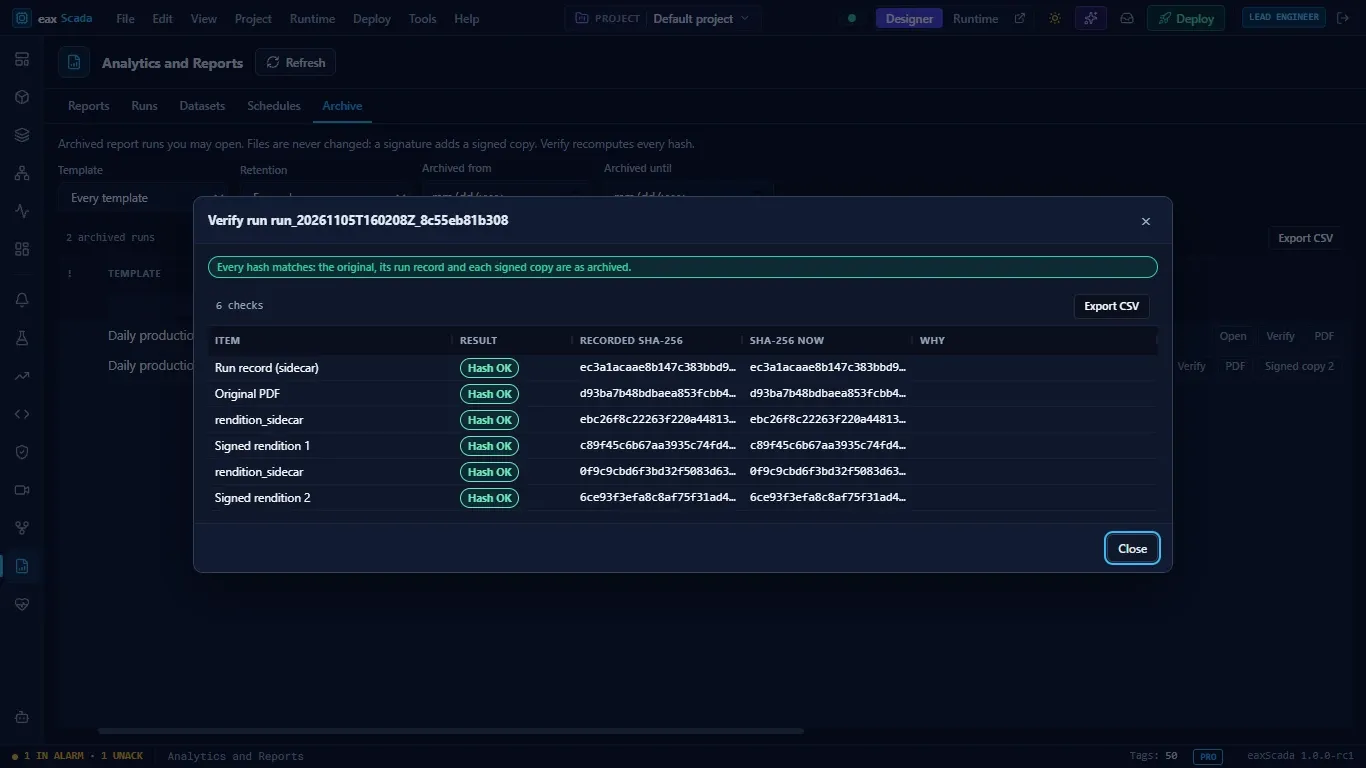
Section titled “Verify a run”- Click Verify on the run’s row (in Archive, or in the run’s dialog in Runs).
- Read the result. Each line is one file: Run record (sidecar), Original PDF and Original XLSX, and for a signed run each signature’s link record and Signed rendition n, with the recorded SHA-256 and the SHA-256 now.
| Integrity | Means | Do |
|---|---|---|
| Verified | Every hash matches. | Nothing. |
| Hash mismatch | A file, the run record or a link record is not what was written, or a signed copy does not follow the one before. | Treat it as a finding: do not edit, move or replace the files; keep them for the investigation. The changed file is not downloaded or signed any more. |
| File missing | A recorded file is not on disk. | Restore the archive folder from a backup, then verify again. |
| Broken chain | A file cannot be read, or the folder holds a signed copy or link record that is not part of the chain. | As for a mismatch. |
| Not verified yet | No verification is recorded for the run. | Run Verify. |
Verify changes and repairs nothing. Each verification is in the audit trail (archive.verify).
The archived PDFs and their signed copies are PDF/A-3b (with reports.archive.pdfa on, the default), validated with an independent PDF/A validator, PDF/A-3B profile: you can hand them to a long-term archive that checks PDF/A (PDF/A with the data inside).
After a downgrade or a licence expiry
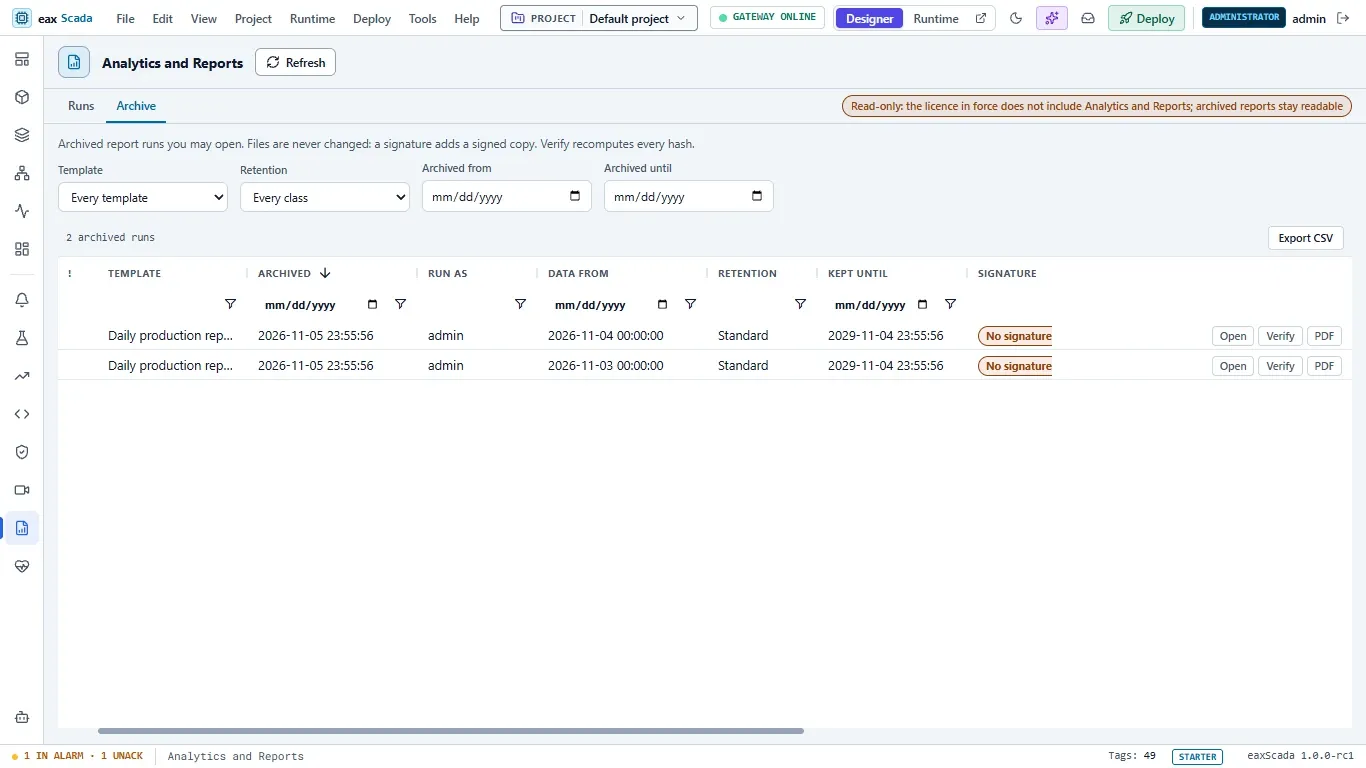
Section titled “After a downgrade or a licence expiry”When the licence no longer includes Analytics and Reports, the archive stays readable: the Archive and Runs tabs remain, read-only, with the chip “Read-only: the licence in force does not include Analytics and Reports; archived reports stay readable”. Open, Verify and the downloads (the original and each signed copy) still work; the purge, signing and the settings are refused (403 EDITION).
On an HA cluster
Section titled “On an HA cluster”The standby keeps a copy of the archive: it pulls each archived file and signed copy from the primary, checks it against its hash and writes it once, within its own quota and disk floor. After a failover the new primary serves, verifies and signs the same runs. System Health > Analytics and Reports shows how far the standby is behind (“archive replication behind by N files”), the last pass and the files it refused; ALM-SYS-REPORTS is active when a standby has not confirmed an archived file for more than an hour or refused one (High availability: run records and the archive). A purge on the primary removes the same files on the standby, each with its own archive.purge record.
Keep the archive within its budget
Section titled “Keep the archive within its budget”The archive has a quota and a disk floor (Quota and disk floor):
reports.archive.quota(default20GiB): at 80 % the alarm ALM-SYS-REPORTS is active and the Archive tab warns; a run that would pass the quota fails and is not archived;reports.archive.min_free(default2GiB) and the historian’shistorian.disk.critical_free: the larger of the two is always left free on the archive’s disk; a run that would go under it fails the same way.
Nothing is deleted to make room. Purge old runs (below), raise the quota, or free space on the disk. These settings are read at start-up: change them in config.yaml and restart. The Settings tab shows the values in force.
Purge the runs past their retention
Section titled “Purge the runs past their retention”A standard run (one without a signature) may be purged once it is older than reports.archive.retention.standard (default 3y) and past the Kept until date it was given when archived. A signed run is never purged, nor a run whose signature plan still waits for a step.
-
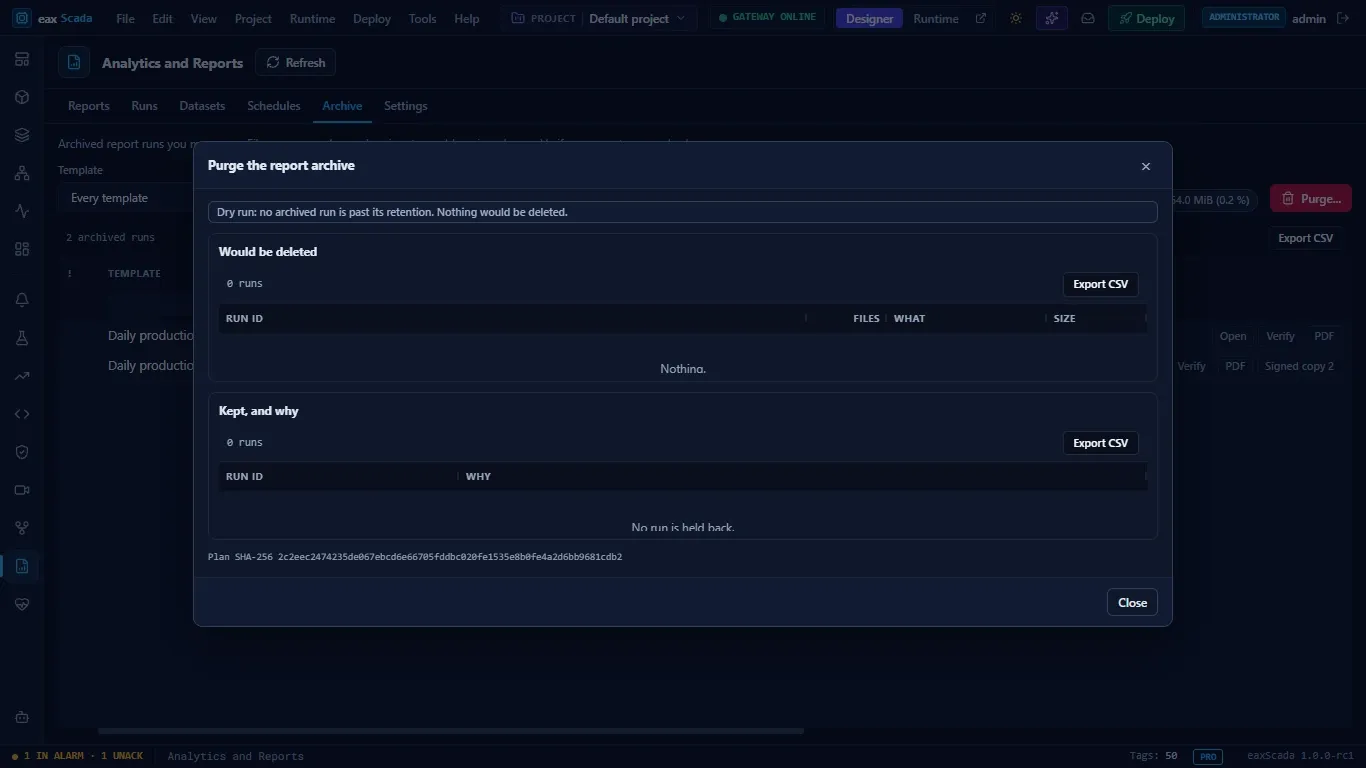
In Archive, click Purge… (reports administrators only). The server computes a dry run: nothing is deleted yet.
-
Read it:
- Would be deleted: the runs, their files and sizes;
- Kept, and why: the runs past their retention that stay (signed, waiting for a signature, a file missing or changed, kept for Verify);
- Plan SHA-256: the fingerprint of exactly this list.
“Dry run: no archived run is past its retention” means there is nothing to do.
-
Click Sign and purge…, type your password (your e-signature covers exactly this plan) and confirm Delete N archived run(s)? with Purge. A wrong password purges nothing: the dialog stays open with an empty password field, and you stay signed in. The fifth wrong password locks your account for 15 minutes.
-
The server computes the plan again. If the archive changed since the dry run you saw, the purge is refused: “The archive changed since the dry run you saw: check the new plan and sign again.” Otherwise each file is deleted after its own audit record (
archive.purge), and the dialog says Purged: N run(s), N file(s), size.
A purged run keeps its record in Runs, marked as purged, and the audit trail keeps every run and every deleted file. A signature for a purge can only execute that purge; a report review, a deploy or any other e-signature can never execute one.
Over the HTTP API
Section titled “Over the HTTP API”-
GET /api/reports/archivelists the archived runs you may open, with their retention, integrity and signature status. Filters:template,run_as,class(standard,signed),from,to(RFC 3339),limit. A reports administrator also gets the archive’s use and faults. -
POST /api/reports/runs/<run id>/verifyreturns the result:status(ok,mismatch,missing,broken) and one check per item (kind,path,expected,actual,ok,problem). -
The purge, as a person in a browser session with
reports_admin:POST /api/reports/archive/purge/plan: the dry run (runs,files,skipped,bytes,sha256);POST /api/reports/archive/purge/ticketwith{"password", "plan_sha256"}: the e-signature over that plan;POST /api/reports/archive/purgewith{"plan_sha256", "signature_ticket"}: the purge.
The plan answer of step 1 holds
plan,object_ref,decision(report_purge) andmeaning. A plan that changed answers409 REPORTS_PURGE_PLAN_CHANGEDat step 2 or 3, with the new plan; a plan with nothing to purge answers409; a ticket that does not match the plan or the caller answers403. At step 2 a wrong password answers403with"status": "signature_refused", a locked account429;401only means you are not signed in.