

Give objects a shared look with style classes
All tank bodies drawn the same way, all main pipes in the same blue, all action buttons in the same purple: defined once, changed once. A style class is a named look stored in the project. Every object that names it draws with it, in the designer and in the operator runtime, and follows it when the class changes.
A class is visual only. It never changes what an object does, what it writes or whether it can be operated.
What a class holds
Section titled “What a class holds”| Member | Notes |
|---|---|
| Fill, Border, Text colour | A colour: #hex, rgb(), or a theme token token:<name> (see below). |
| Border width | 0 to 50. |
| Dash | Up to 8 numbers, for example 6 3 (6 drawn, 3 gap). Leave it empty for a solid line. |
| Corner radius | 0 to 500. |
| Opacity | 0 to 1. |
| Shadow colour, Shadow blur, Shadow X, Shadow Y, Shadow opacity | A drop shadow. Blur 0 to 100, offsets -100 to 100, opacity 0 to 1. |
| Font, Font size, Font weight | A family of the project’s font library, a size, a weight (300 to 800). |
| Description | One line, for the other engineers. |
Every member is optional: a class sets only what you fill in. An object uses the members that apply to it (a line has no fill, a rectangle no font); a class that sets nothing the object uses says “This class sets nothing this object uses.” Equipment drawings (tanks, pumps, valves and the other drawn equipment) take the class’s fill and border for their own parts.
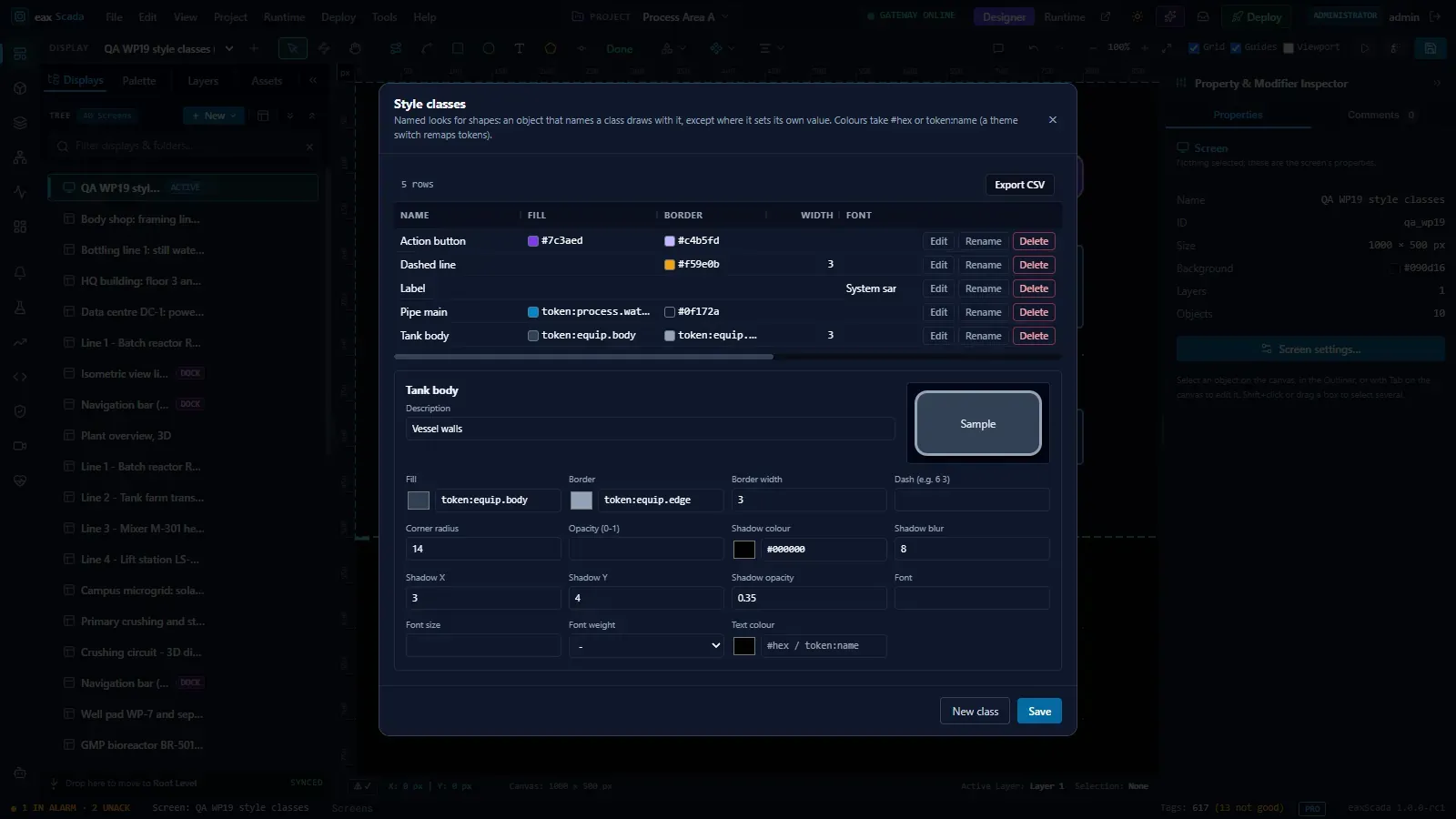
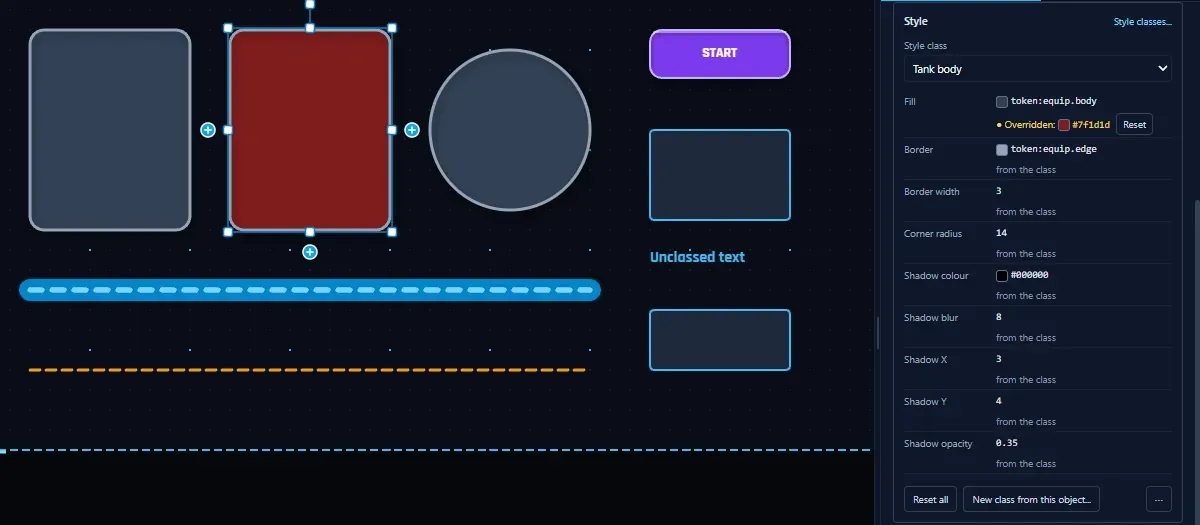
Token colours. token:process.water or token:equip.body names a colour of the theme instead of a fixed one. When an operator or engineer switches between the light and dark theme, the token takes that theme’s colour, so one class looks right in both.
Create a class
Section titled “Create a class”From an object (the quickest way):
- Select an object whose look you like.
- In the inspector, Properties tab, the Style section is above States. Click New class from this object….
- Type a name. A name starts with a letter and holds letters, digits, spaces,
_,.and-(64 characters at most).
The class takes the object’s look, and the object then draws with the class.
From the class list:
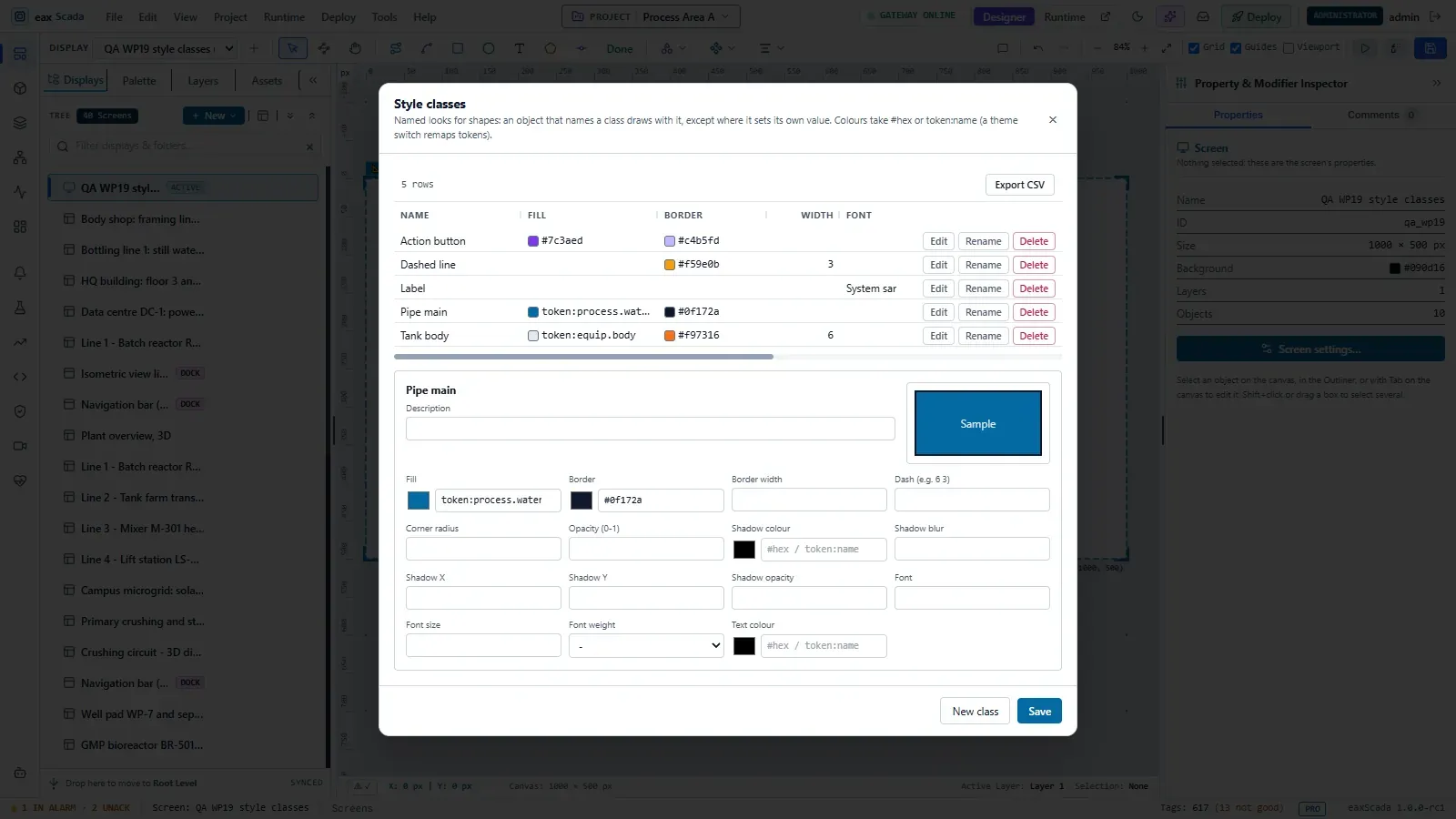
- In the Style section, click Style classes…. The dialog lists the project’s classes with their fill, border, width and font, with filters and Export CSV.
- Click New class, type a name, fill in the members (the Sample shows the result) and click Save.
Up to 500 classes per project. Saving needs the Lead_Engineer or Administrator role.
Give a class to objects
Section titled “Give a class to objects”Select the object and pick the class in Style class in the Style section. (no class: own look) removes it. Picking a class is one undo step.
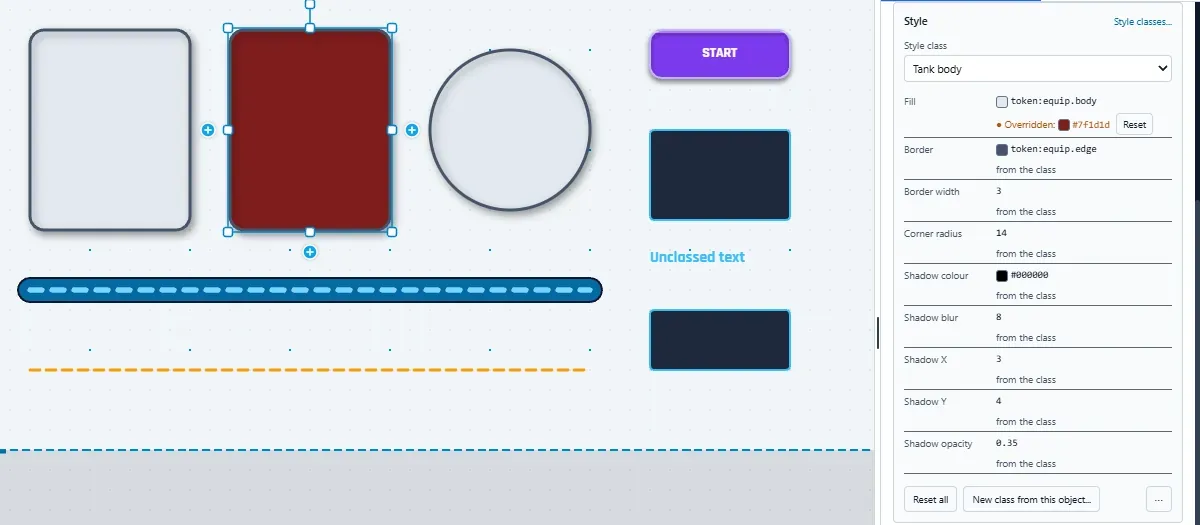
The section then lists each member of the class with where the object’s value comes from: from the class, or Overridden with the object’s own value.
Override a value on one object
Section titled “Override a value on one object”Set the value on the object as usual (a fill colour in its properties, for example). The object keeps its own value and the class value is not used for that member: the Style section marks it Overridden. Everything else still comes from the class.
- Reset next to a member drops the object’s own value: the class value applies again.
- Reset all does that for every overridden member.
A font that the object’s text style sets stays with it, and the Style section says so.
In which order the looks apply
Section titled “In which order the looks apply”- The class gives the members the object does not set itself.
- The object’s own values come next. An own value is one that differs from the type’s default.
- The looks of the object states (pressed, disabled, bad quality and the others) go on top. On a button, the class replaces the button’s built-in normal colours; the states still apply over it.
A class never paints over a colour that a colour condition or a binding has set: the live colour an operator relies on always wins. An object without a class is drawn exactly as before.
Change, rename or delete a class
Section titled “Change, rename or delete a class”- Change: open Style classes…, choose the class, change it, Save. “Saved. Open displays show it now.”: the designer and every open operator runtime redraw the objects that use it, without a deploy. (A runtime that was in the background picks the change up when it comes back to the front, and every 30 seconds at the latest.) If someone else saved the styles in the meantime, the dialog reloads them and asks you to make your change again.
- Rename: in the Style section, the More menu (⋯) → Rename class…. A class used only on the screen you have open is renamed, and that screen’s objects move to the new name: save the screen to keep them on it. A class used on other screens or documents is not renamed, so they keep their look: the message lists them; open them and pick another class first.
- Delete: More → Delete class… asks first and says where the class is used. The objects on the screen you have open keep their look: the class values are copied onto them. Objects on other screens draw with their own values from then on, and the check below reports them.
To see where a class is used, look it up in Where used: style classes are listed as Style class, and the objects that use one as styled by.
A class that no longer exists
Section titled “A class that no longer exists”An object that names a class the project does not have (renamed or deleted, or the screen came from another project) draws with its own values. The screen check reports it as style-class-missing: pick a class in the Style section, or create the class again with the same name. It never blocks a save.
Where classes are stored
Section titled “Where classes are stored”The classes are part of the project styles document (GET / PUT /api/dev/styles), in the member shapeClasses. An object names its class in props.styleClass.
{ "shapeClasses": { "Pipe main": { "description": "Main water lines", "fill": "token:process.water", "stroke": "#0f172a", "strokeWidth": 3 }, "Tank body": { "fill": "token:equip.body", "stroke": "token:equip.edge", "strokeWidth": 3, "cornerRadius": 14, "shadow": { "color": "#000000", "blur": 8, "offsetX": 3, "offsetY": 4, "opacity": 0.35 } } }}| Member | Type | Range |
|---|---|---|
description |
string | one line, 256 characters at most |
fill, stroke, textColor |
string | #hex, rgb()/rgba(), transparent or token:<name> |
strokeWidth |
number | 0 to 50 |
dash |
array of numbers | up to 8 values, each 0 to 200, not all 0 |
cornerRadius |
number | 0 to 500 |
opacity |
number | 0 to 1 |
shadow |
object | color; blur 0 to 100; offsetX, offsetY -100 to 100; opacity 0 to 1 |
fontFamily, fontSize, fontWeight |
string, number, integer | a family name, a size, a weight |
The server refuses a document with an invalid class name or value. A project without classes has no shapeClasses member.