

Connect to an S7 PLC
Migrated page, not yet verified against the current code. Treat values, paths and examples as indicative until this notice is removed.
eaxScada reads and writes Siemens S7-300, S7-400, S7-1200 and S7-1500 CPUs over ISO-on-TCP (RFC 1006, TCP port 102), the S7 protocol’s transport. The protocol id in the configuration is ISO_ON_TCP.
What is supported
Section titled “What is supported”Supported:
- Siemens S7-1500, S7-1200, S7-300 and S7-400 CPUs, through the CPU’s Ethernet port or an Ethernet module, on TCP port 102.
- Absolute addresses: data blocks, memory M, inputs I and outputs Q (see Addresses).
- Types: Bool (one bit), Int16 (INT), UInt16 (WORD), Int32 (DINT), Float32 (REAL).
- Tag names from the symbol table you export from the engineering software as CSV and import for the connection: the PLC does not hold them.
Not supported:
- Siemens S7-1200/1500 data blocks with optimized access: only absolute offsets can be read.
- Reading tags by name from the PLC (symbolic access).
- LREAL (8 bytes): a Float64 tag reads a 4-byte REAL. STRING, timers T and counters C.
- LOGO!, S7-200 and S7-200 SMART: they need other connection parameters than the S7-300/400/1200/1500.
The driver is checked by unit tests of its addresses and frames. It has not yet been run against a CPU in eaxware’s test bench; report what you see on yours.
Set up the PLC (S7-1200 and S7-1500)
Section titled “Set up the PLC (S7-1200 and S7-1500)”In the engineering software, then compile and download:
- CPU properties → Protection & Security → Connection mechanisms: allow access with PUT/GET communication from remote partner.
- Each data block you read: in its properties, Attributes, clear Optimized block access. The offsets of its variables then appear in the block; those are the addresses you map.
- Access level: the CPU’s protection must let an HMI connection read, and write for the tags you command, without a password. Full access is the simplest.
An S7-300 or S7-400 needs no change.
Add the connection
Section titled “Add the connection”-
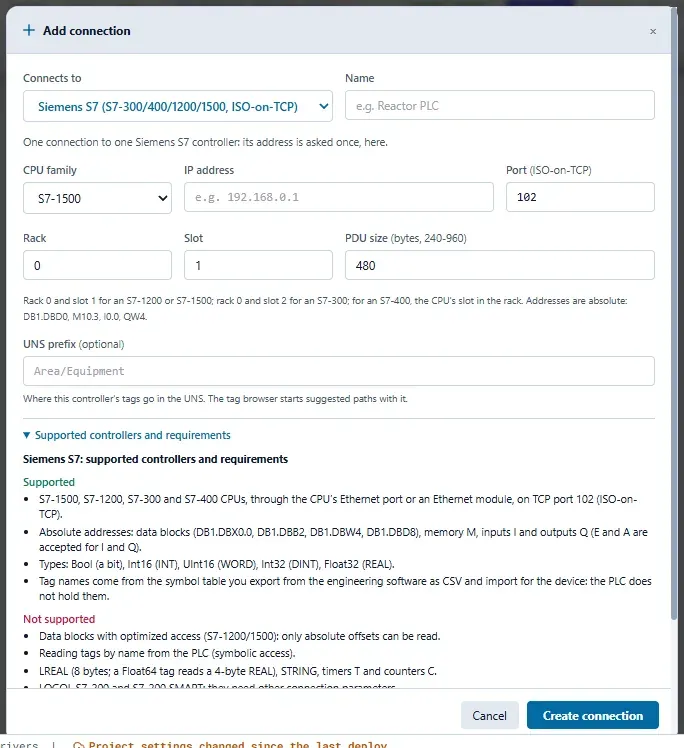
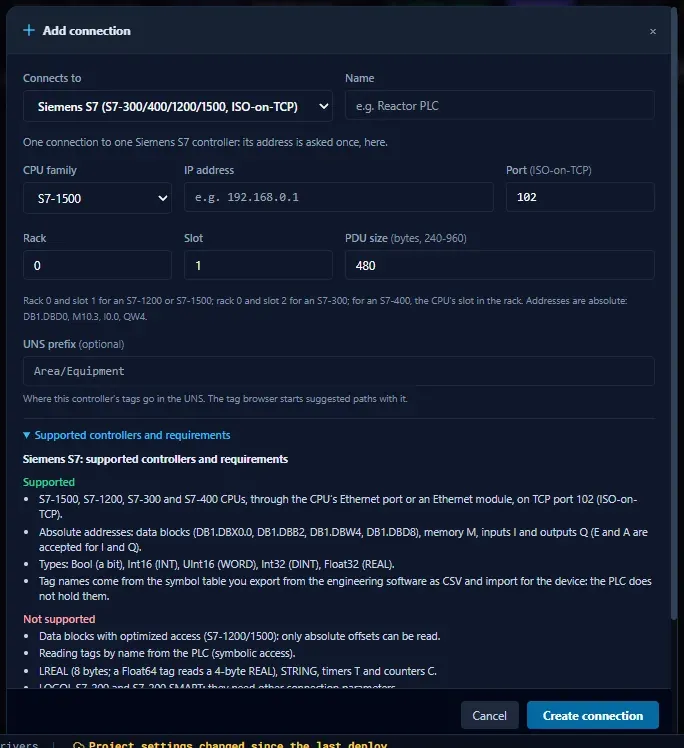
Drivers → Add connection, and choose Siemens S7 (S7-300/400/1200/1500, ISO-on-TCP).
-
CPU family, IP address. The port stays 102.
-
Rack and Slot of the CPU:
CPU Rack Slot S7-1200, S7-1500 0 1 S7-300 0 2 S7-400 0 the CPU’s slot in the rack Changing the family sets the usual slot. A wrong rack or slot is refused by the CPU after the TCP connection opens: Test connection shows it.
-
UNS prefix (optional): where this PLC’s tags go in the UNS, for example
Plant/Reactor. -
Create connection, then Test connection. A success means the CPU accepted the connection and the S7 setup at that rack and slot, not only that port 102 is open.
Addresses
Section titled “Addresses”| Area | Bit | Byte | Word (2 bytes) | Double word (4 bytes) |
|---|---|---|---|---|
| Data block | DB1.DBX2.4 |
DB1.DBB2 |
DB1.DBW4 |
DB1.DBD8 |
| Memory | M10.3 |
MB10 |
MW10 |
MD10 |
| Inputs | I0.0 (or E0.0) |
IB0 |
IW0 |
ID0 |
| Outputs | Q4.1 (or A4.1) |
QB4 |
QW4 |
QD4 |
The tag’s data type sets how the bytes are read: a Bool needs a bit address; Int16 and UInt16 read 2 bytes, Int32 and Float32 read 4. An address the driver cannot read is refused with the forms above, never read as another address.
Tag names
Section titled “Tag names”S7 keeps its symbol names in the engineering project, not in the PLC. Export the PLC tags or the data block as CSV with at least an address column (the operand, such as DB1.DBD0 or M10.3) and a name column; data_type, scale, unit and uns are read when present, and a double word needs data_type Float32 or Int32. In Browse tags, choose the connection: with no table yet, the browser says so and offers Import register map (CSV). After the import it lists the symbols with their addresses and reads each one from the PLC, so you see which answer.
The connection afterwards
Section titled “The connection afterwards”The Connection tab holds the address, rack, slot and family, with the same requirements panel. Polling & UNS holds the scan rate and the UNS prefix; Tag Mappings the mapped tags.
Families saved before this version as ISO-1500, ISO-1200, ISO-300 or ISO-400 are read as the S7 names. An ISO-300 or ISO-400 connection saved with slot 0 now gets the S7-300/400 default slot, 2; it used to get slot 1.