

When the audit trail is down
In Starter, Pro and Enterprise every action that changes the plant, a safety setting, the project or who may do what writes its audit record first. When the audit trail cannot take that record, the action is refused and nothing changes. This guide tells you why the trail is down, how to bring it back, and how to set a damaged trail file aside.
The server itself keeps running while the trail is down: monitoring, alarms, trends and the actions that record after the fact (an alarm acknowledgement, a stop, a force release) go on. The Free edition has no audit trail, so it is never down (Which editions record).
What you see
Section titled “What you see”- The system alarm
ALM-SYS-AUDIT-DOWN(critical): “Audit trail down - actions that need an audit record are refused”. Its metric condition isAuditTrailDown(eaxscada_system_condition). - Refused actions. A setpoint or command with a reason or signature, a screen save, a deploy, a configuration change, a recipe action: each is refused with
503and the codeAUDIT_NOT_WRITTEN. The message says “… refused, nothing changed: the audit trail could not be written: …”, with “the audit trail is down” and the cause. Nothing was written to equipment, saved or deployed. - System Health > Audit trail shows down with the cause, and the banner at the top says “the audit trail is down: actions that need an audit record are refused (the Audit trail card has the reason)”.
- Security > Operations audit has a rose note above the grid: “The audit trail is down: every action that needs an audit record is refused until it records again. System Health has the reason.” Under it, the grid is empty and says “The audit trail is down; System Health has the reason.”: never the server’s own message, which names the file and its folder.
- The licence dialog says “Audit trail: down (…)” with the cause, for an administrator.
- The server log says
AUDIT TRAIL DOWNwith the cause and the fix: at start, and each time the trail fails. When the trail is down at start and looks repairable, a second line says “the audit trail may be repairable” and what to run (Repair a trail a checkpoint cut short).
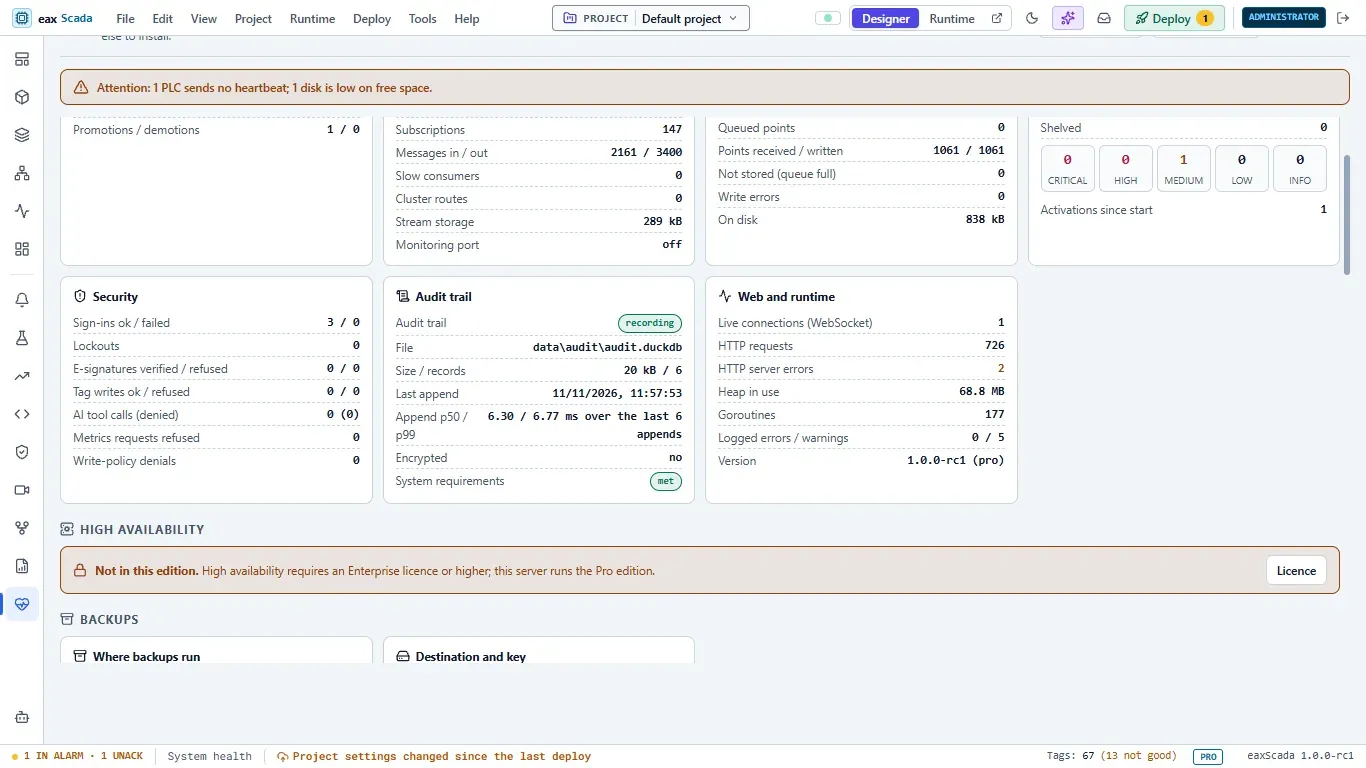
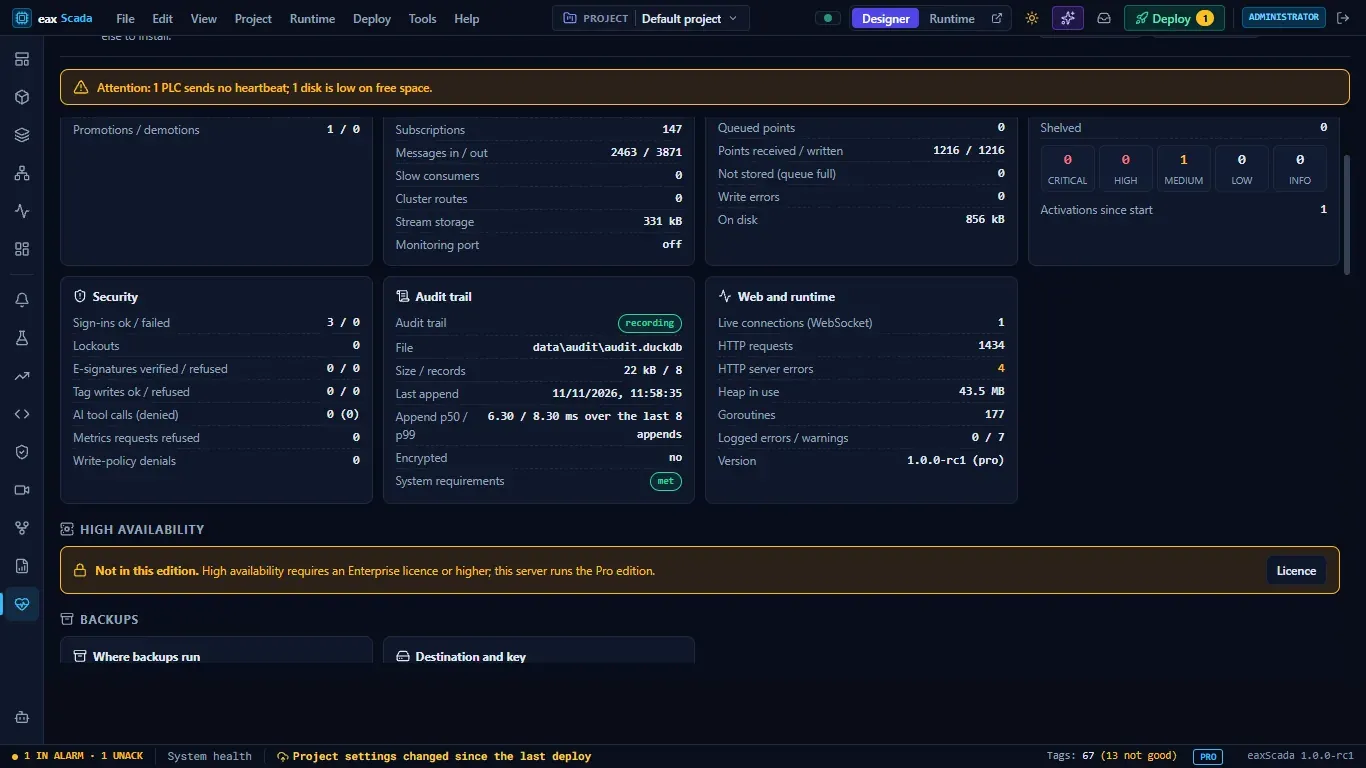
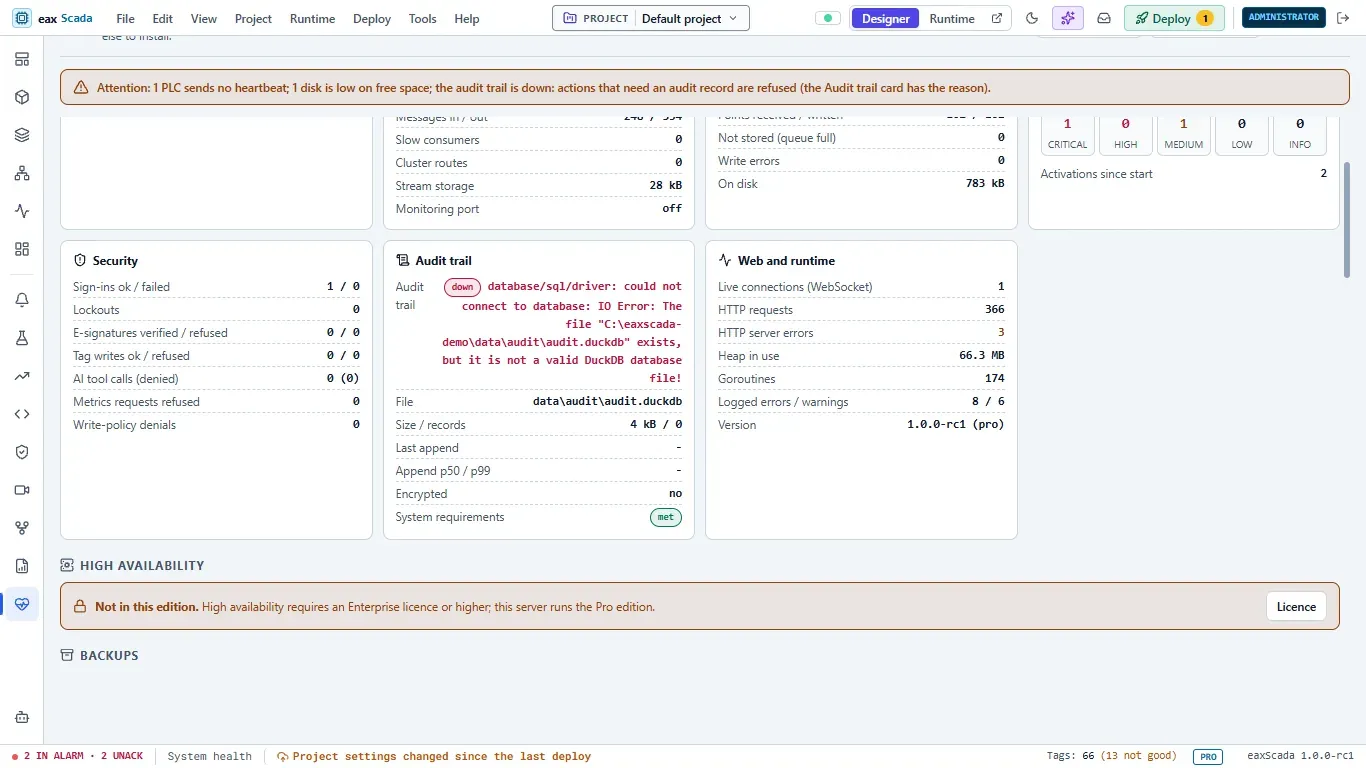
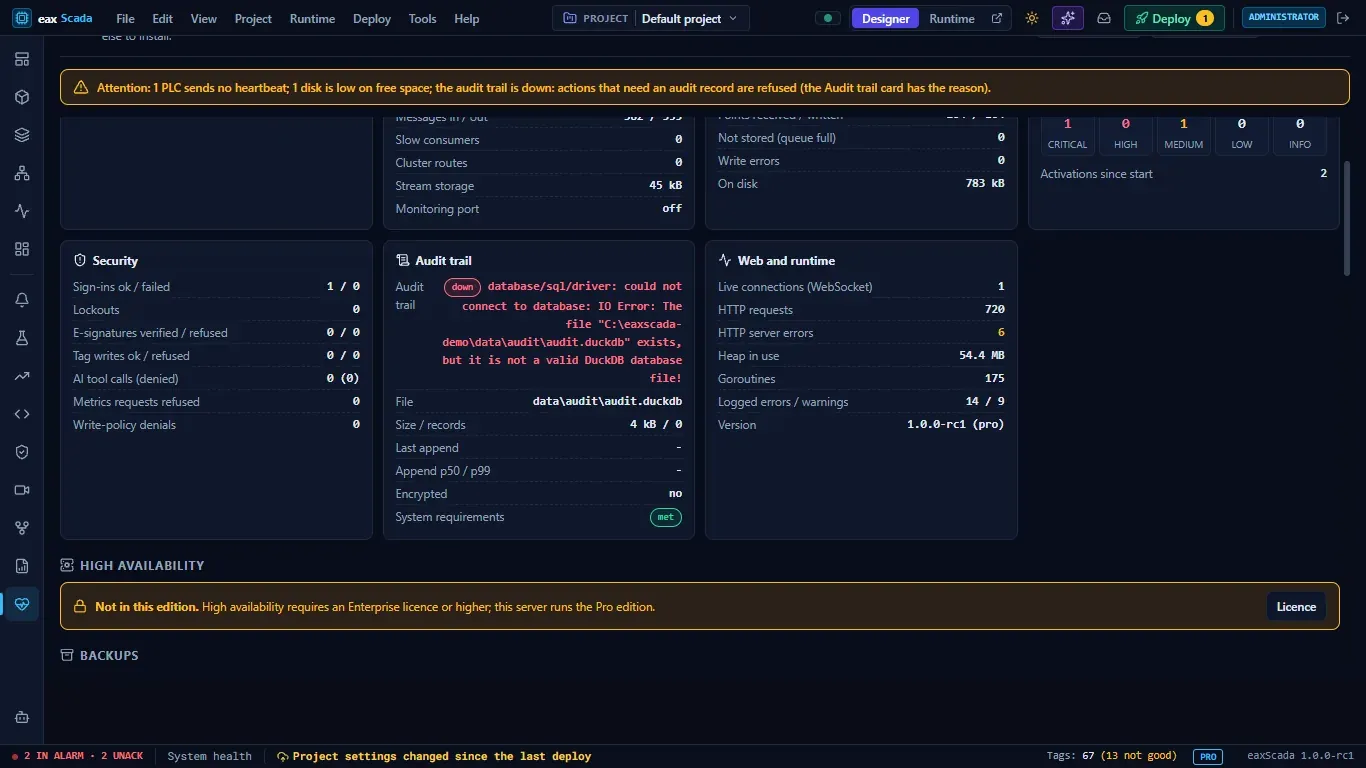
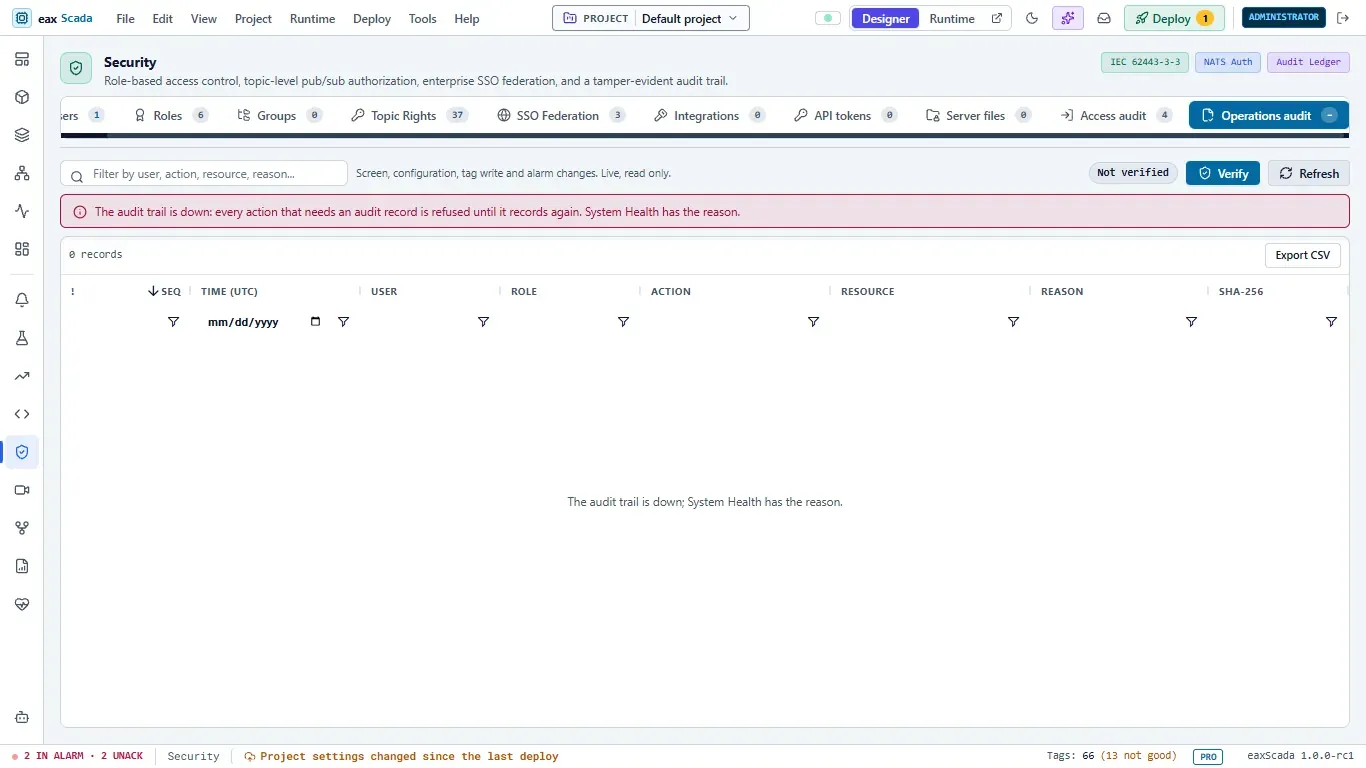
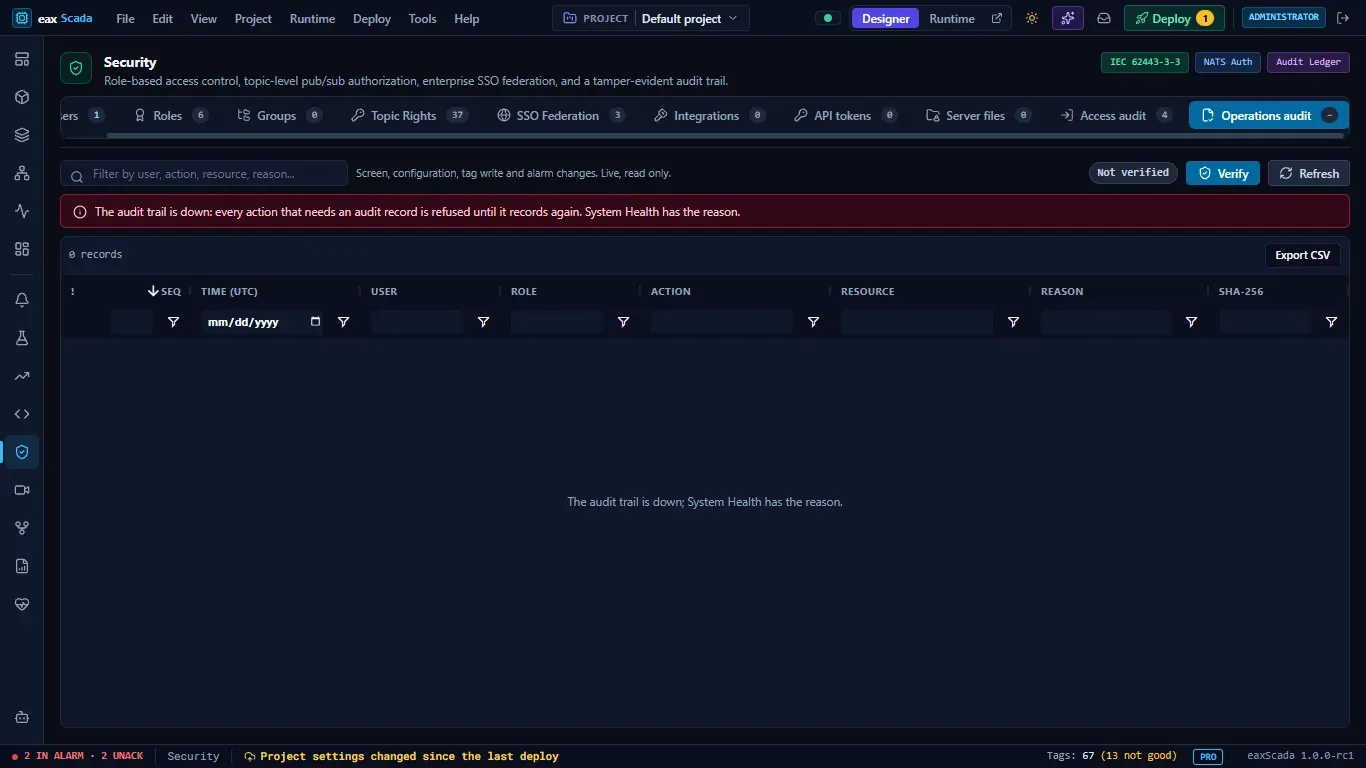
The server tries the trail again every 30 seconds, and at an action at most every 5 seconds. When it opens, the trail continues with the record AUDIT_TRAIL_RESUMED (“no record was written while it was down”), and the alarm clears. Nothing was recorded while it was down, because nothing that needed a record was done.
Read as text
At start, a server with a paid licence records; without one it keeps an earlier trail readable (READ_ONLY) or keeps none (NONE). Installing a paid licence starts recording. A trail that records goes DOWN when a write fails or a requirement is refused, and records again once it can be opened. While it is down every action that records first is refused.
States
- NONE (state): no trail kept: no paid licence, no trail file
- READ_ONLY (state): no paid licence: an earlier trail, read
- RECORDING (state): each record committed
- DOWN (state): actions refused
Transitions
- Start → NONE (transition). At start without a paid licence and without a trail file, no trail is kept.
- Start → READ_ONLY (transition). At start without a paid licence, an earlier trail file is kept readable and nothing is written to it.
- Start → RECORDING (transition): paid licence. At start with a paid licence the trail records; it starts DOWN when it cannot be opened or a requirement is refused. Its first record is AUDIT_TRAIL_STARTED.
- NONE → RECORDING (transition): paid licence installed. AUDIT_TRAIL_RESUMED records the gap when an earlier trail is continued.
- READ_ONLY → RECORDING (transition): paid licence installed
- RECORDING → DOWN (transition): a write fails. Also when a requirement of the trail is refused.
- DOWN → RECORDING (transition): opened again. Tried at the next record, at most every 5 seconds, and every 30 seconds in the background. The first record after it is AUDIT_TRAIL_RESUMED.
1. Find the cause
Section titled “1. Find the cause”Read the cause in System Health’s Audit trail card, or the server log line AUDIT TRAIL DOWN (the cause follows it), then the table:
| Cause in the log | What it means | Fix | Comes back |
|---|---|---|---|
| “… is on a network share (…): put security.audit_data_dir on a local disk” | The audit folder is on SMB, NFS or a similar share. A sync there may be acknowledged before it is stored. | Point security.audit_data_dir at a folder on a local disk, move audit.duckdb and its .wal there with the server stopped, and start it. |
After the restart. |
| “… is on a RAM disk (…), which does not survive a power loss” | The folder is on tmpfs, ramfs or a RAM disk. | As above: a local disk. | After the restart. |
| “… has N GB free, less than the 10 GB the audit trail needs” | Less than 10 GB free on the audit folder’s volume. | Free space on that volume (or move the folder, as above). Keep 20 GB or more. | By itself within 30 seconds. |
| “… is the historian folder, inside it or around it …” after a licence was installed while the server ran | The audit folder is inside or around the historian’s. The server ran Free, which records nothing and so started; the licence needs a trail, and the server never records it there. The log says what to do: “set security.audit_data_dir outside the historian folder and restart eaxScada”. The 30-second retry does not fix it: the setting is read at start. | Set security.audit_data_dir to a folder outside the historian’s, and restart. |
After the restart. |
| The file is “used by another process”, “Could not set lock”, “conflicting lock” | Another process holds audit.duckdb: a second eaxScada on the same folder, an offline command, a backup or antivirus tool, a database tool. The file is not damaged. |
Stop that process, or exclude the audit folder from it. Never set a held file aside. | By itself within 30 seconds. |
| An open error that names the encryption or its key | historian.tde_encryption was switched on or off for an install that already has an audit.duckdb. Converting an existing trail is not supported yet. |
Turn the setting back to what the trail was made with, and restart. | After the restart. |
| A permission error (“access is denied”, “permission denied”) | The server’s account may not write the audit folder. | Give the account write access to the folder and its files. | By itself within 30 seconds. |
| A write error while the server ran (the disk full, an I/O error) | A record’s commit failed: the action was refused and the trail is reopened. | Free space or fix the disk. | At the next try. |
| The database “does not open”: “Corrupt database file”, “not a valid DuckDB database”, an error that stays after a restart | audit.duckdb is damaged. |
Stop the server and run the dry run: repair it when it is offered (a checkpoint cut short), otherwise set it aside: step 3. | After the repair or the set-aside and a restart. |
Warnings are not a cause: removable media, an SD card or eMMC, less than 20 GB free, and sync times that are implausibly fast or slow are logged and recorded as AUDIT_STORAGE_WARNING, and the trail records. Fix them before they become a refusal (Audit trail system requirements).
The one case that stops the start (Starter, Pro and Enterprise): an audit folder that is the historian’s folder, inside it or around it. The server does not start (“security.audit_data_dir (…) is the historian folder, inside it or around it (…)”). Give the audit trail its own folder outside the historian’s, and start again. A Free server starts with such a folder: it records nothing, and a trail kept there from a paid period is not opened (a warning in the log).
Before it goes down: ALM-SYS-AUDIT-DISK. The medium system alarm “Audit trail disk low - under 10 GB free” is active while the trail records and its volume has less than 10 GB free. The trail still records, until the disk refuses a write. Free space then, before the trail goes down; the alarm clears at 10 GB free. A server started with less than 10 GB free starts with the trail down.
2. Check that it records again
Section titled “2. Check that it records again”- Wait for the alarm
ALM-SYS-AUDIT-DOWNto clear (or restart the server when the fix needs it). System Health’s Audit trail card reads recording. - Open Security > Operations audit. The newest record is
AUDIT_TRAIL_RESUMED(or, after a set-aside,LEDGER_FILE_SET_ASIDE; after a repair,LEDGER_FILE_REPAIRED). - Click Verify. The chip shows Verified - N records.
- Repeat the action that was refused. Nothing was done the first time.
3. Set a damaged trail aside
Section titled “3. Set a damaged trail aside”Only for a file that is damaged: one that does not open, is not held by another process, and whose error does not name the encryption key. It is never done automatically. The command renames the file and keeps it; it never deletes it. A trail a checkpoint cut short can be repaired instead, and its chain continues: the dry run says whether it can (below).
You need an administrator account of this server (not the AI co-pilot), its password, a Starter, Pro or Enterprise licence, and the server stopped.
-
Stop eaxScada. The command refuses while the server answers on its port or holds its data lock.
-
Run a dry run, from the server’s working folder (or give
--workdirand--config). It changes nothing:Terminal window eaxscada audit-set-asideIt says which file it would check and what it would do, and whether the trail can be repaired: “Repair: OFFERED. …”, “Repair: not offered (…). Only a set-aside is possible.” or “Repair: the trail opens; there is nothing to repair.” If the repair is offered, repair it (below) rather than set it aside.
-
Set it aside, with your administrator name and a reason. The password is read from the console (standard input):
Terminal window eaxscada audit-set-aside --confirm --user admin --reason "audit.duckdb damaged after the disk failure of 11 Nov"The password is checked as an electronic signature against the security store: the check is recorded as
ESIG_VERIFIEDin the sign-in trail, and a wrong password counts towards the account lockout. -
Read the result. For example:
The audit trail did not open (… Corrupt database file …).It was set aside unchanged as ./data/audit/audit.broken-20261111T091500Z.duckdb (7864320 bytes, SHA-256 3f…a9); a new audit trail starts and records the set-aside. -
Start eaxScada, and check as in step 2.
What the set-aside does:
audit.duckdbbecomesaudit.broken-<UTC time>.duckdb, and its write-ahead logaudit.duckdb.walbecomesaudit.broken-<UTC time>.duckdb.wal. Both or neither: if the log cannot be renamed, the file is put back and nothing changed.- A new trail starts: its genesis record, then
LEDGER_FILE_SET_ASIDEwith the old file’s name, size and SHA-256, who set it aside and why, and the sentence “The records in the old file are not part of this chain.” - The tip anchor in the security store is reset, so the new trail is not taken for a cut one.
Keep the broken file. It holds the records written before it broke. It is evidence for your quality or IT security lead; eaxScada never deletes it.
Repair a trail a checkpoint cut short
Section titled “Repair a trail a checkpoint cut short”If the audit trail does not open because a checkpoint was cut short (a power loss or a killed process during a checkpoint), eaxscada audit-set-aside (without --confirm) also says whether it can be repaired: it checks a copy in a temporary folder and verifies every table, the hash chain from the start and the tip anchor, then removes the copy. Nothing in the audit folder changes. The server log says so too: while the trail is down at start, a second AUDIT TRAIL DOWN line says “the audit trail may be repairable” and what to run. Nothing is ever repaired automatically, and an encrypted trail is never repaired.
When the dry run says “Repair: OFFERED”, repair it, signed like a set-aside (the same administrator, password and reason; the text signed is “audit-repair of <file>: <reason>”):
eaxscada audit-set-aside --repair --confirm --user admin --reason "audit.duckdb torn by the power cut of 11 Nov"The command checks a copy again in the audit folder, writes a journal, puts the verified copy in place and keeps the original as audit.torn-<UTC time>.duckdb. It says, for example:
The audit trail did not open (… computed checksum … does not match stored checksum … in block at location …).It was repaired: metadata block <id> (location <offset>) had a wrong checksum after a checkpoint cut short; the repaired copy verified (…) and is in place (SHA-256 …).The original is kept unchanged as ./data/audit/audit.torn-20261118T091500Z.duckdb (SHA-256 …); journal ./data/audit/audit.torn-20261118T091500Z.duckdb.repair.json. The trail continues and records the repair.Then start eaxScada and check as in step 2.
What the repair does:
audit.duckdbbecomesaudit.torn-<UTC time>.duckdb, and its.walis kept with it; the verified copy and its.waltake their place. Nothing is deleted or overwritten. The journalaudit.torn-<UTC time>.duckdb.repair.json(both SHA-256, the block, the verification) is written before the swap.- The trail continues its chain: its write-ahead log replays, and the next record,
LEDGER_FILE_REPAIRED, names the block, the verification, who repaired it and why, and both files’ SHA-256. No new trail starts: the copy was verified to reach the tip anchor, so no record the server stored as its last is missing.
Keep the original (audit.torn-<UTC time>.duckdb, its .wal and its .repair.json) as evidence; eaxScada never deletes it.
The repair is refused, and nothing changed, when the trail is not a checkpoint cut short, is encrypted (“an encrypted audit trail is not repaired (set it aside)”), is held by another process or opens, or when the copy does not verify (for example “the repaired trail ends before its tip anchor”). The command says “audit-set-aside –repair refused, nothing changed: …” and “Without –repair the trail is set aside and a new one starts.”: set it aside as above.
When the set-aside refuses
Section titled “When the set-aside refuses”| Message | What to do |
|---|---|
| “this edition has no audit trail (Starter, Pro and Enterprise)” | The licence is Free (or not valid): there is no trail to set aside. |
| “eaxScada is running” (or the data lock is held) | Stop the server first. |
| “the audit trail opens: there is nothing to set aside” | The file is fine. Look for the cause in step 1: the folder, the disk, another process. |
| “the audit trail is held by another process (is eaxScada running?)” | Stop that process. A held file is not damaged. |
| “the audit trail does not open with this encryption key: it is not set aside” | The file may be fine and the key or the setting wrong. Check historian.tde_encryption and its key. |
| “signature: invalid username or password”, “… is not an administrator”, “the AI co-pilot account cannot sign” | Use an administrator account and its own password. |
| “… does not exist: nothing to set aside” | There is no audit.duckdb in the folder: check security.audit_data_dir. |
See also
Section titled “See also”- The audit trail on disk and Audit trail system requirements
- Audit trail API: the record actions and the error codes
- Recorded first, refused without the record
- Command-line reference: audit-set-aside