

Create a report dataset
Describe the data of a report once, as a named query that anyone may run with their own read rights: for example the samples of area A for one day, or the hourly averages of the reactor temperatures with their quality.
You need the right datasets_edit (Grant report rights). The rules behind each step are in Analytics and Reports.
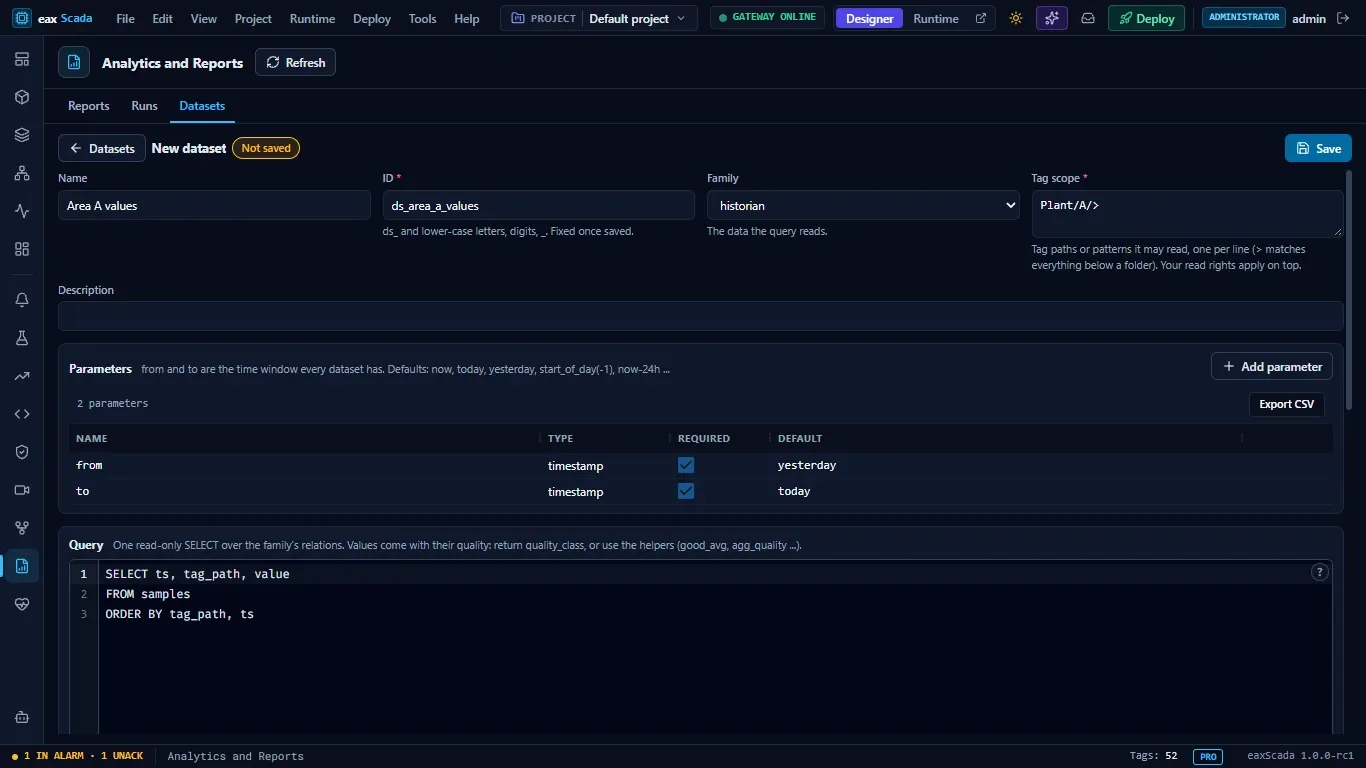
quality_class is added (step 5).1. Start a dataset
Section titled “1. Start a dataset”- Open Analytics and Reports on the activity rail (or Tools > Analytics and Reports), then the Datasets tab.
- Click New dataset.
- Fill in:
- Name: what readers of the report see, for example
Area A values. - ID:
ds_followed by lower-case letters, digits and_, for exampleds_area_a_values. It is fixed once saved: report templates refer to it. - Family: the data the query reads, historian (tag samples) or alarms (the alarm journal and the alarm definitions). A family whose database this server does not have is marked “(not on this server)”.
- Tag scope: the tag paths or patterns the dataset may read, one per line, for example
Plant/A/>(>matches everything below a folder,*one level). It is required. Each user’s read rights apply on top of it: the scope never lets anyone read more than their rights allow. - Description (optional).
- Name: what readers of the report see, for example
2. Declare the parameters
Section titled “2. Declare the parameters”Every dataset has the time window from and to: two required timestamp parameters, already in the grid. The server only gives the query the rows of that window, so the query does not need to filter on time itself.
Click Add parameter for each other value the query needs: a name of lower-case letters, digits and _ (not starting with eax_), a type, whether it is required, and a default. The types are timestamp, duration, number, integer, text, bool, tag (one tag path) and tag_list (several).
Defaults are written in a small fixed vocabulary, never as code:
| Default | Means |
|---|---|
now |
The time the run starts. |
today, yesterday |
The start of today, of yesterday, on the site’s clock. |
start_of_day(n), start_of_week(n), start_of_month(n), start_of_year(n) |
The start of the day, week (Monday), month or year n steps from the current one: start_of_month(-1) is the first of last month. |
+6h, -24h, -1d, +1w, -1h30m after any of those |
An offset. h, m, s are elapsed time; d, w are calendar days and weeks: now-24h and now-1d differ on a day with a clock change. |
For a daily dataset, from = yesterday and to = today is the usual pair. Defaults of the other types are plain values: 15m, 42, R1, true, a tag path, or tag paths separated by commas. The full list, with the shift words, is in the reference.
3. Write the query
Section titled “3. Write the query”The query is one read-only SELECT over the relations of the family:
- historian:
samples(ts,ts_ns,tag_path,value,quality,quality_class,simulated); - alarms:
alarm_events(the journal in the window) andalarm_definitions(the current definitions).
The editor completes the relations, their columns, the quality helpers and your parameters. The columns of each relation are in the reference.
Read a parameter as $name. Values are passed to the database as parameters, never pasted into the text. Examples:
-- One tag's samples, with their qualitySELECT ts, tag_path, value, quality_classFROM samplesWHERE tag_path = $tagORDER BY ts-- Hourly averages of the good samples, with the quality of each hourSELECT date_trunc('hour', ts) AS hour, tag_path, good_avg(value, quality_class) AS avg_value, good_count(quality_class) AS good_samples, count(*) AS samples, agg_quality(quality_class) AS qualityFROM samplesGROUP BY date_trunc('hour', ts), tag_pathORDER BY hour, tag_path-- Alarm events of the window, newest firstSELECT ts, alarm_id, name, severity, event_type, current_state, user_id, qualityFROM alarm_eventsORDER BY ts DESCWhat the server refuses, on save and on every run:
- more than one statement, or anything but a
SELECT(noINSERT,COPY,ATTACH,SET…); - a name that is not one of the family’s relations, and any name qualified with a schema or catalog (
main.samples); - table functions, files and URLs (
read_csv(...),'file.parquet'), and functions outside the allowed list; - a query longer than 64 KiB.
4. Save
Section titled “4. Save”Click Save (Ctrl+S). The server checks the query before it stores anything: the rules above, the quality rule (next step), every default against this site’s configuration, and a dry run as you, which records the columns the query returns. A report whose dataset later stops returning those columns fails with a clear reason instead of printing nonsense.
- An error the server can place is shown at its line in the editor; others are shown under the editor.
- If someone else saved the dataset since you opened it, the save is refused: reload it, then make your change again.
- Each save is a new revision (shown next to the name). Datasets are part of the project: they are in checkpoints and replicated to an HA standby.
5. Return the quality with each value
Section titled “5. Return the quality with each value”A historian dataset that returns sample values must also return their quality, or the save is refused with the reason (bad and uncertain samples would print as good ones) and a hint. Any one of these satisfies the rule:
- return
quality_class(orquality) next to the value, and group by it when you aggregate; - summarise the quality with
agg_quality(quality_class) AS qualityin an aggregate; - keep the good samples only:
WHERE quality_class = 'good'; - average the good samples only with
good_avg(value, quality_class).
For a simple SELECT, Add quality column under the refusal adds quality_class for you; save again. The alarms family has no such rule: its relations carry a quality text column of their own.
6. Preview the rows
Section titled “6. Preview the rows”Click Preview (or press Ctrl+Enter in the query editor). It runs the saved dataset as you, so save first to preview a change. Enter parameter values, or leave them empty to take the defaults shown under each field.
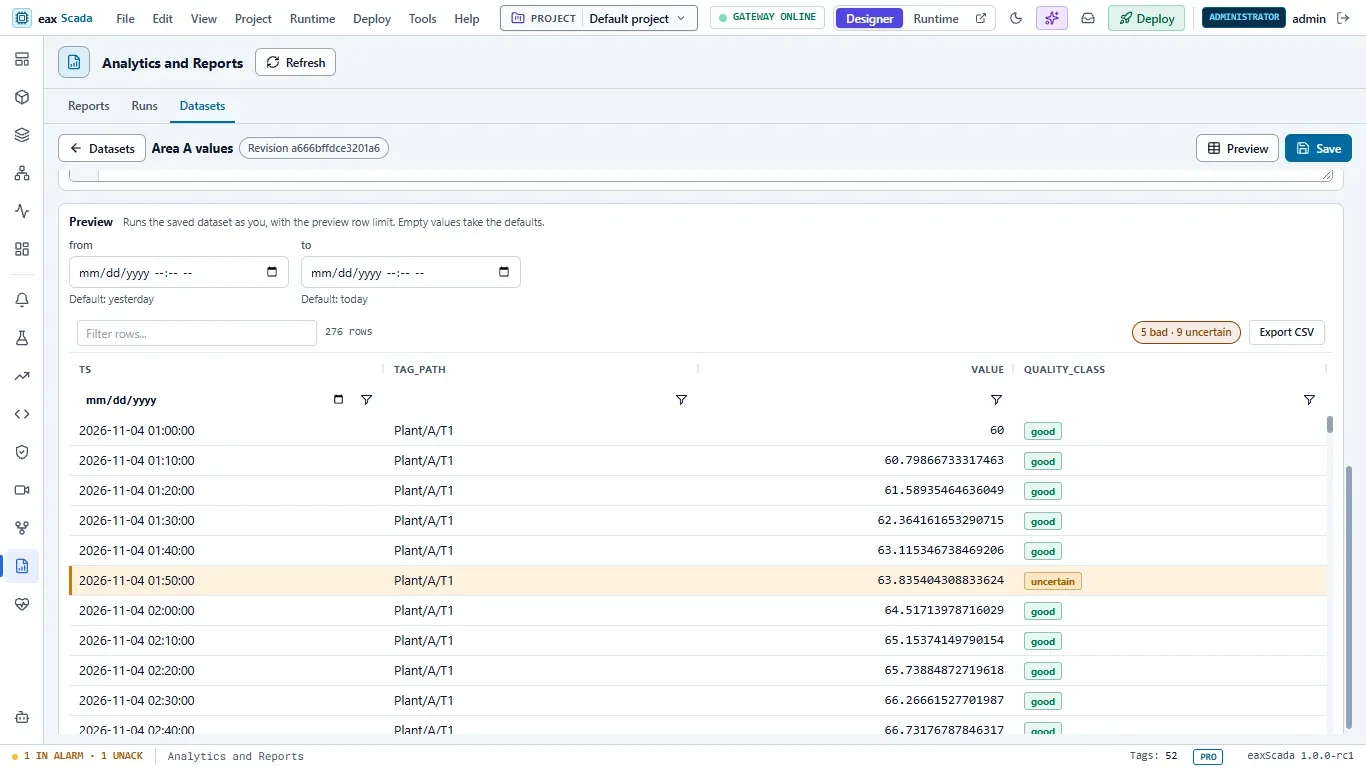
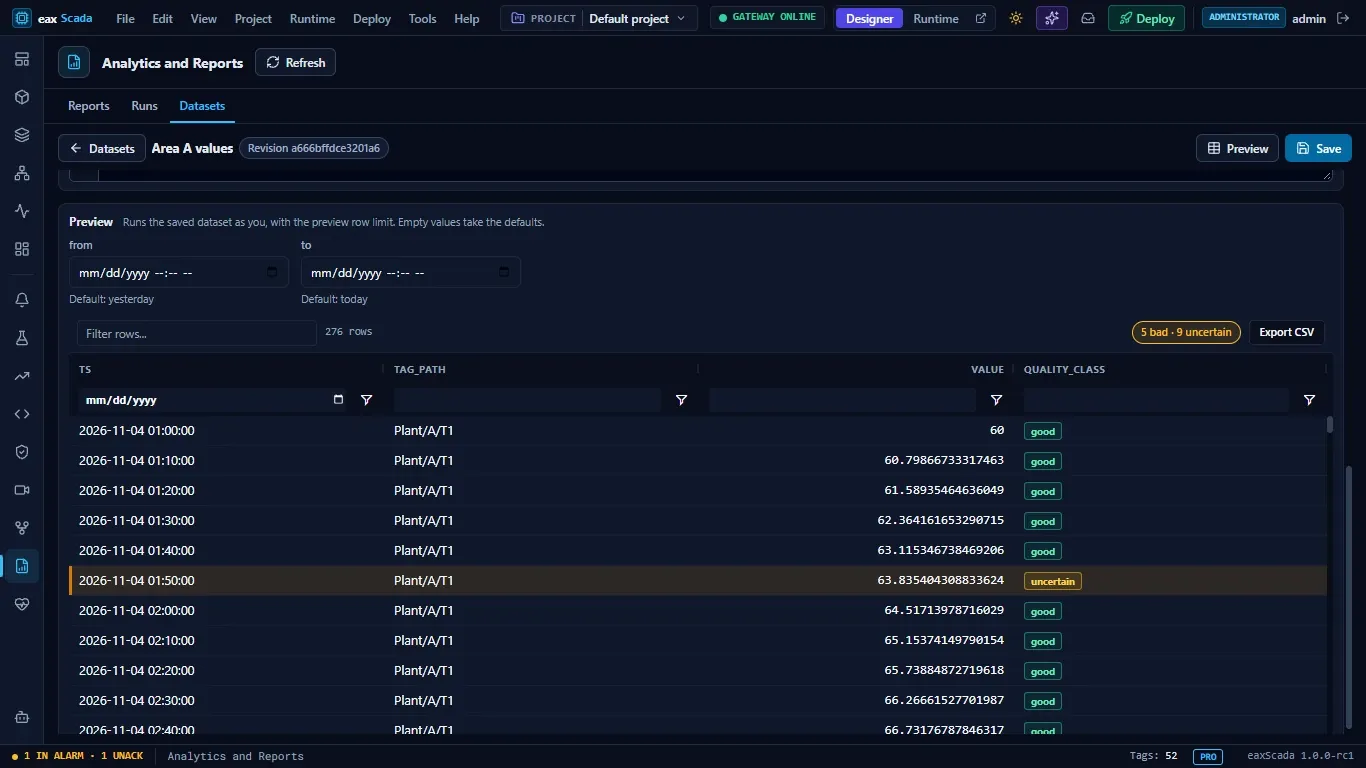
The grid marks bad rows rose, uncertain rows amber and simulated values SIM. One chip above it sums up what to know: the quality counts, “First N rows only” when the preview limit cut the rows, and “N tags hidden by your read rights” when the tag scope covers tags you may not read. Another user may see fewer rows than you: a report always reads as the person who runs it.
Delete a dataset
Section titled “Delete a dataset”Delete in the row’s actions asks first. A dataset that a saved or deployed report uses is not deleted: remove it from those reports, deploy, then delete it.
Troubleshooting
Section titled “Troubleshooting”| You see | Why | Do |
|---|---|---|
| The save is refused for the quality | The query returns values without quality. | Step 5: Add quality column, or one of the other forms. |
| A refusal that names a table, a schema or a function | The query names a table, a schema-qualified name, a file or a function outside the allowed list. | Read only samples, or alarm_events and alarm_definitions, without a schema. |
| A refusal about the time window | from or to was removed or is not a required timestamp. |
Keep both as required timestamps. |
A shift default (this_shift, last_shift) is refused |
Shift defaults need the shift calendar, which this server does not have yet. | Use today, yesterday or start_of_day(n). |
| The query is stopped for taking too long | The preview limit is 15 s (60 s for a report run). | Narrow the window or the tag scope, or aggregate. |
| The family shows “(not on this server)” | This server has no database for that family (for example a build without the columnar historian). | Edit the dataset on a server that has it. |