

Search reviews and comments
Find what was said and decided about a project before: why valve V12 waits for LS-3, who approved the last deploy of the filler, what the AI assistant flagged on the pump screen. One search covers the project’s reviews, the signed decisions on them, the comments on its screens and its PLC programs, and the assistant’s checks.
Before you start
Section titled “Before you start”| What | Who | Edition |
|---|---|---|
| Search reviews and comments | any signed-in person, never the AI co-pilot account | Pro, Enterprise |
- Free and Starter refuse the search: “Search reviews and comments requires a Pro licence or higher.” Free still lets you evaluate reviews themselves.
- The search needs the columnar engine, which the eaxScada server includes. A build without it answers that it has no search archive.
- You know the review flow: Review screens and PLC programs before deploy.
1. Open the search
Section titled “1. Open the search”- Open the project in the Studio.
- Choose Deploy → Search reviews and comments….
A side panel opens over the designer. The designer stays as it was; Close or Escape closes the panel.
2. Search
Section titled “2. Search”- Type the words to find, for example
valve interlock. Every word must appear in a record, in any case. The first 8 words count. - Narrow the search if you need to:
- In: the project, or one of its PLCs (the reviews of a PLC’s program and the comments on its ST lines).
- Kind: Everything, Reviews, Decisions (approvals and rejections), Comments, AI checks, or Written by the AI assistant (its checks and its comments).
- Author: a username.
- From and To: days. To includes the whole day.
- Press Search (or Enter). You can also search with the filters only, without words.
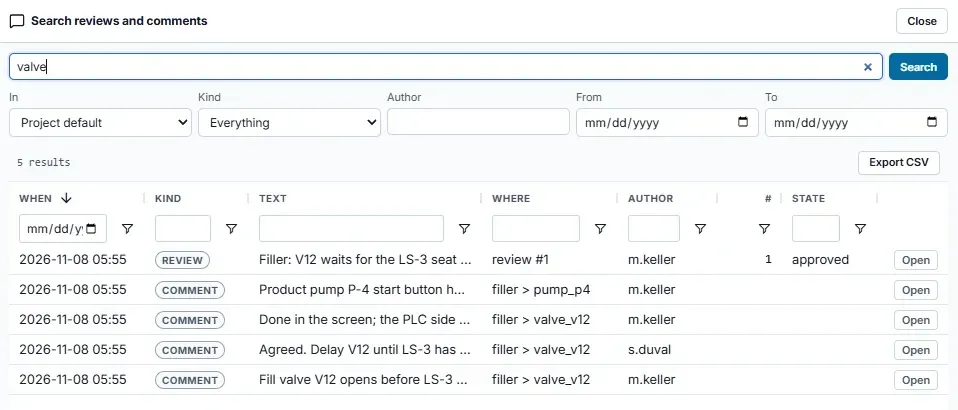
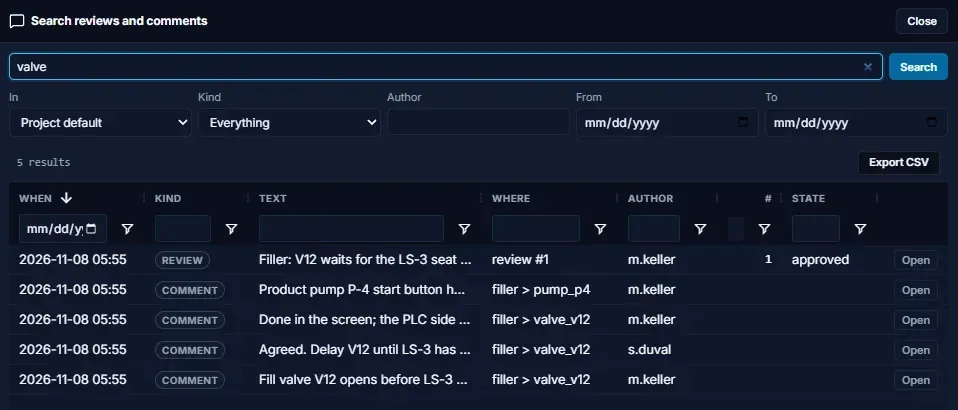
The results come newest first, up to 200. When there are more, the panel says that only the newest are shown: narrow the words, the kind or the dates to reach older ones. There is no relevance ranking.
The grid has a filter and a sort on every column, and Export CSV writes the results shown. Output written by the AI assistant is labelled (AI check, AI comment).
3. Open a result
Section titled “3. Open a result”Double-click a row or press Open:
- a comment opens its thread, where you can reply and resolve as usual (with the rights to write comments);
- a review, a decision or an AI check opens the review page.
What you find, and what you do not
Section titled “What you find, and what you do not”The search shows only what you could already read where the records come from:
- reviews, their signed decisions and the assistant’s checks: any signed-in person, as the review list and a review’s page;
- a comment on a screen: only with that screen’s read right (an Administrator reads every screen);
- a PLC program’s comments: any signed-in person, as the PLC’s threads.
The check is made by the server inside the search, record by record, so a screen you may not open never shows up in the results, not even as a count. Comments on tags are not searched (their read right is per tag).
The AI co-pilot account cannot search: the archive holds every person’s review discussion. The assistant reads a review’s threads through its own read tools, as the person asking.
When the search is not available
Section titled “When the search is not available”- “The archive is still being built: older records may be missing.” The server is reading the existing reviews and comments into its archive, at start-up or on the first search. Search again in a moment.
- “The search is not available right now; reviews and comments are not affected.” The archive could not be opened or read. Reviews, decisions, comments and deploys go on as before; the search catches up when the archive can be read again.
- “This installation has no search archive (it was built without the columnar engine).” The server build has no columnar engine.
Where the archive is kept
Section titled “Where the archive is kept”The search reads a local archive, <data>/collab/archive.duckdb, derived from the reviews and comments the server stores. It follows every new review, decision, check and comment as it is stored, on this node or another. Writing a review or a comment never waits for it.
Deleting the file loses nothing: the server rebuilds it from the stored reviews and comments. It is not encrypted (the records it mirrors are not either) and is not in backups, since it is rebuilt.
Through the API
Section titled “Through the API”GET /api/collab/search?project=<id>&q=valve&kind=comment&from=2026-11-01&limit=50, or plc=<id> instead of project=. Fields and refusals: Design reviews API.
Not covered
Section titled “Not covered”- Whether a thread is open or resolved is not a filter.
- Matches come newest first, without full-text ranking.
- The assistant’s comment threads on tags are found through the check’s text only.
Result
Section titled “Result”You find the past reviews, decisions, comments and assistant checks of a project or a PLC in one place, limited to what you may read, and open each where it lives.