

Set up e-mail and folder delivery
Have each scheduled report reach the people and systems that need it: as an e-mail with a link (or the file) to eaxScada users and, where allowed, to addresses outside eaxScada, and as a file in a folder another system reads.
You need to be an administrator of the server (to edit config.yaml and restart it) and hold reports_admin (to store the SMTP password and to mark a report as one that may be sent outside). Delivery applies to scheduled runs; an on-demand run is downloaded from the workspace.
Every rule below is checked again at each delivery, with the rights and settings of that moment, and a destination that breaks one gets nothing (Delivery).
1. Configure the e-mail server
Section titled “1. Configure the e-mail server”Add to the reports: section of config.yaml (on every HA node), then restart the server:
reports: email: smtp: host: smtp.example.com port: 587 starttls: true username: scada-reports password_ref: smtp_reports from: scada-reports@example.com base_url: https://scada.example.com attachments: false max_attachment: 10MiB allowed_domains: - example.com| Key | What to put |
|---|---|
smtp.host, smtp.port |
Your mail server. The port is 587 by default. |
smtp.starttls |
Keep true (the default). The connection is upgraded with STARTTLS (TLS 1.2 or later, the server’s certificate checked against the system’s trusted roots) before anything is sent; a mail server that does not offer STARTTLS gets nothing. |
smtp.username, smtp.password_ref |
The account eaxScada signs in with, and the name under which its password is stored (step 2). Both or neither. The password itself never goes in the file. |
smtp.from |
The sender address. Required with a host. |
base_url |
The address your users open eaxScada at. Link messages point to <base_url>/studio/?workspace=reports&run=<run id>; without it no link message is sent. An http or https address, without user name, query or fragment. |
attachments, max_attachment |
Whether a message may carry the file (default false), and up to which size (default 10MiB). |
allowed_domains |
The domains addresses outside eaxScada may have. A domain also allows its subdomains (example.com allows mail.example.com, never badexample.com). Empty: no external address receives anything. |
Port 465 does not work: eaxScada does not open a connection that is encrypted from the first byte (implicit TLS); it always starts plain and upgrades with STARTTLS. Use your server’s submission port, usually 587.
Plain SMTP (starttls: false) is refused at start unless allow_plain: true is set and the host is this machine (localhost, 127.0.0.1, ::1) and there is no username: only a relay on the same machine, and never a password in clear. A refused value stops the server at start with the reason.
2. Store the SMTP password
Section titled “2. Store the SMTP password”- Open Analytics and Reports > Settings (reports administrators). The grid shows the report settings in force, read only; they change in
config.yaml. - Under SMTP password, type the password in New password and click Store password.
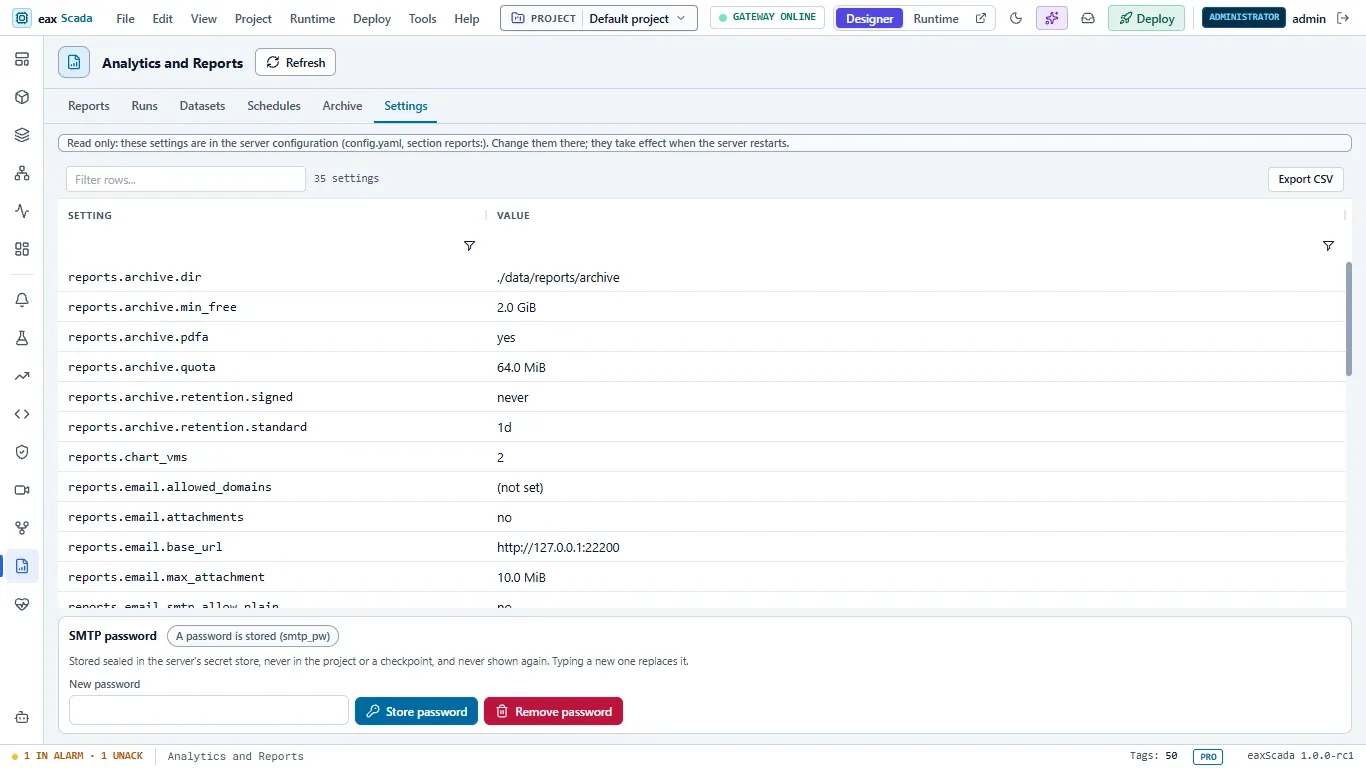
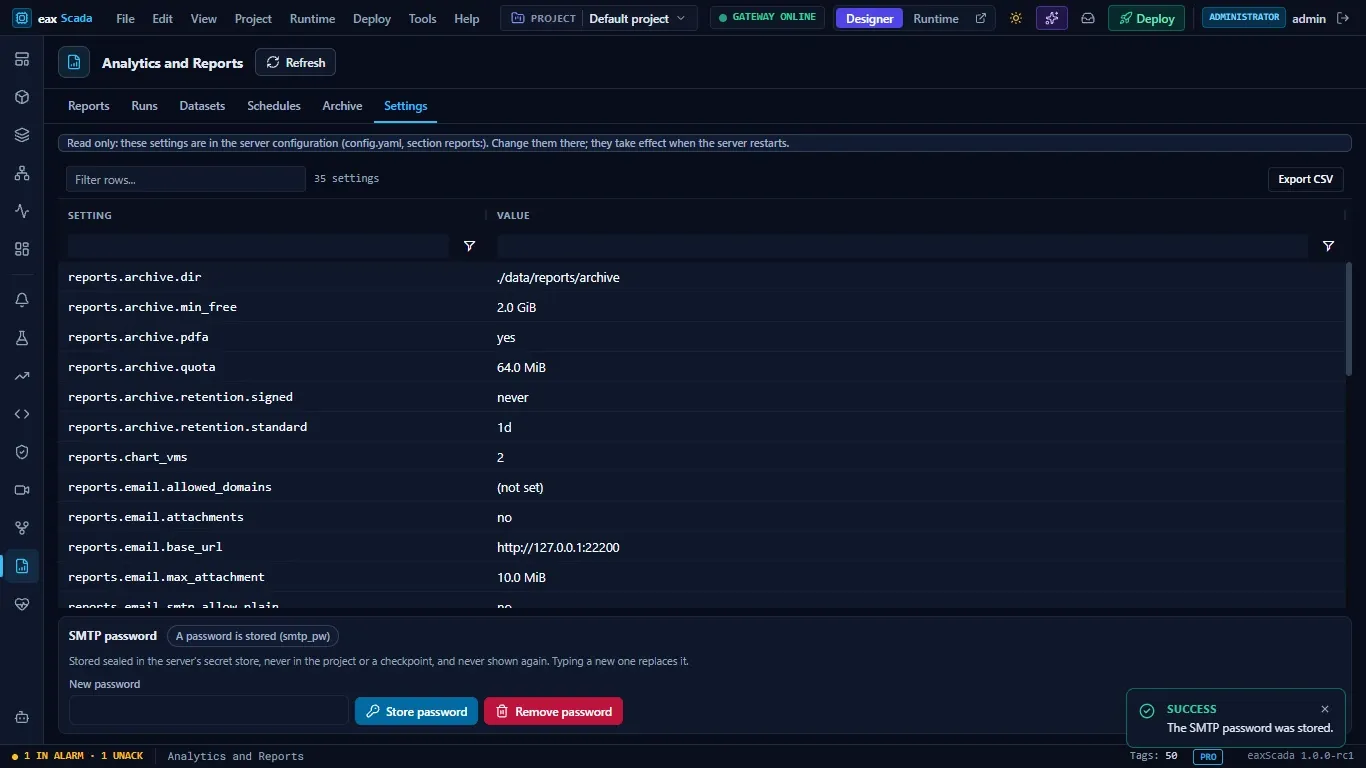
The password is sealed (encrypted) in the server’s secret store under the name of password_ref, in data/security/reports_secrets.json with its key file data/security/reports_secrets.key. It is never in the project, a checkpoint or a log, and never shown again: the card only says whether one is stored. Typing a new one replaces it; Remove password (asks first) deletes it. The change is recorded (settings.update, without the value). Only a person can do it: never an API token, never the AI co-pilot, never through eaxCloud remote access.
On an HA cluster, copy both files from the primary to every node and restart them: the store is not replicated. A node whose key differs from the cluster’s sends nothing and says so in each run’s delivery outcome.
Over the API: PUT /api/reports/settings/secrets with {"password": "..."} ("" removes it); GET returns the stored names only.
3. Allow folders
Section titled “3. Allow folders”List the folders reports may be written to, as absolute paths, and restart:
reports: folders: allowed: - D:\reports-out - \\fileserver\qa\reports(On Linux, for example /srv/reports-out.) The folders must exist. A schedule names a folder by its last part (reports-out, reports), optionally followed by up to three sub-folders (reports-out/line3), which are created when missing. A path is never accepted from a schedule. A network share works only when it is listed itself; two listed folders with the same last part are refused as ambiguous. Links and junctions below the allowed folder are refused.
Each file is written under a temporary name and appears complete, named after the report and the run (<template>_<run id>.pdf). It never replaces a file: a number is added instead.
4. Allow a report to go outside (optional)
Section titled “4. Allow a report to go outside (optional)”Addresses outside eaxScada receive a report only when all three hold:
- the address’s domain is in
allowed_domains(step 1); - the schedule’s owner holds
reports_distribute_external(Grant report rights); - the report is marked May be sent outside: in the designer, Signatures and delivery panel. Only a reports administrator can turn it on (a save that sets it otherwise is refused). The mark is read from the deployed revision the run used, and counts only while that revision is still the deployed one. A duplicated report starts without it.
5. Add deliveries to a schedule
Section titled “5. Add deliveries to a schedule”In the schedule editor (Schedule a report), click Add e-mail or Add folder:
- E-mail: add eaxScada users by user name, and Addresses outside eaxScada if you hold
reports_distribute_external. Choose What the message carries: A link to the Archive (sign-in needed) (the default), or The file attached where the server allows attachments. One message is sent per recipient, in the recipient’s language; no recipient sees the others. - Folder: choose an allowed folder, and a sub-folder if you want.
The editor offers the lists to every scheduler, not only to administrators: the active eaxScada users (name and full name, and whether they have an e-mail address; never the address), the allowed folders by their last part (a name two allowed folders share is left out), and whether attachments, addresses outside eaxScada and e-mail are allowed on this server. On an older server it falls back to typed names.
Up to 10 deliveries per schedule and 50 recipients per e-mail delivery. An address outside eaxScada is refused when you save if you do not hold reports_distribute_external; a user name that does not exist is skipped at delivery.
Who receives what. An eaxScada user receives a report only if they may open it: they may read every tag the run could read. A user who may read less, has no e-mail address in their account, or is disabled is skipped, and the run says why (never which tags). A report with an alarms dataset goes only to the schedule’s owner and to reports administrators among the eaxScada users. Check that your users have an e-mail address.
Signed reports. A report with a signature plan is delivered only once fully signed, as its last signed copy (the workbook is not sent): the run shows Pending until signed until then (Sign a report).
- Data store
- Check or decision
- Refusal
Read as text
After a scheduled run succeeds, its delivery passes gates that fail closed. The run must be archived and deliverable; a report with a signature plan waits until it is fully signed and is then sent as its last signed copy only. Each e-mail recipient and folder is checked with the rights and settings of that moment, recorded in the audit trail, and only then sent or written.
Parts
- Deliverable? (check or decision): run succeeded, archived, not purged
- Signature plan? (check or decision): waiting for a signature
- Pending until signed (outcome): nothing sent
- Rules per destination (check or decision): e-mail: STARTTLS; a link needs the base URL; attachments allowed and within the maximum; users who may open the run; outside: owner's right, report marked, domain folder: an allowed folder name
- Refused or skipped (outcome): per destination, with the rule
- Audit trail (data store): deliver.email or deliver.folder first
- Sent or written (outcome): a file never replaces another
Connections
- Start → Deliverable? (next step). Delivery starts after a scheduled run that succeeded. A schedule without destinations delivers nothing; a server without delivery answers not configured.
- Deliverable? → Signature plan? (next step): yes
- Deliverable? → Refused or skipped (refusal): no. A run that is not archived, was purged or is a draft is refused for every destination.
- Signature plan? → Pending until signed (next step): waits. The run shows Pending until signed; this survives a restart. Nothing is sent.
- Signature plan? → Rules per destination (next step): no plan, or fully signed
- Pending until signed → Rules per destination (next step): last signature: signed copy only. When the last signature lands, the primary takes the pending delivery once and sends the last signed copy only, never the unsigned original or the workbook.
- Rules per destination → Refused or skipped (refusal): a rule fails. An outside address without the owner's right, the report mark or an allowed domain, a missing base URL, attachments not allowed or too large, or a folder that is not allowed: refused. An eaxScada user who is inactive, has no address or may not open the run, or a repeated address: skipped.
- Rules per destination → Audit trail (next step): passes
- Audit trail → Sent or written (next step): then. A message or file whose audit record cannot be written is not sent or written: that destination fails.
6. Check the outcomes
Section titled “6. Check the outcomes”The Delivery column of Runs sums each scheduled run’s delivery: Delivered (n), Partly delivered (n of m), Not delivered, Pending until signed, No destination, or Delivery is off on this server. A run with a destination not delivered has a marker; click it for each destination’s outcome: sent, written, skipped or refused (with the rule and the reason), or failed (the mail server, the disk or the audit trail failed).
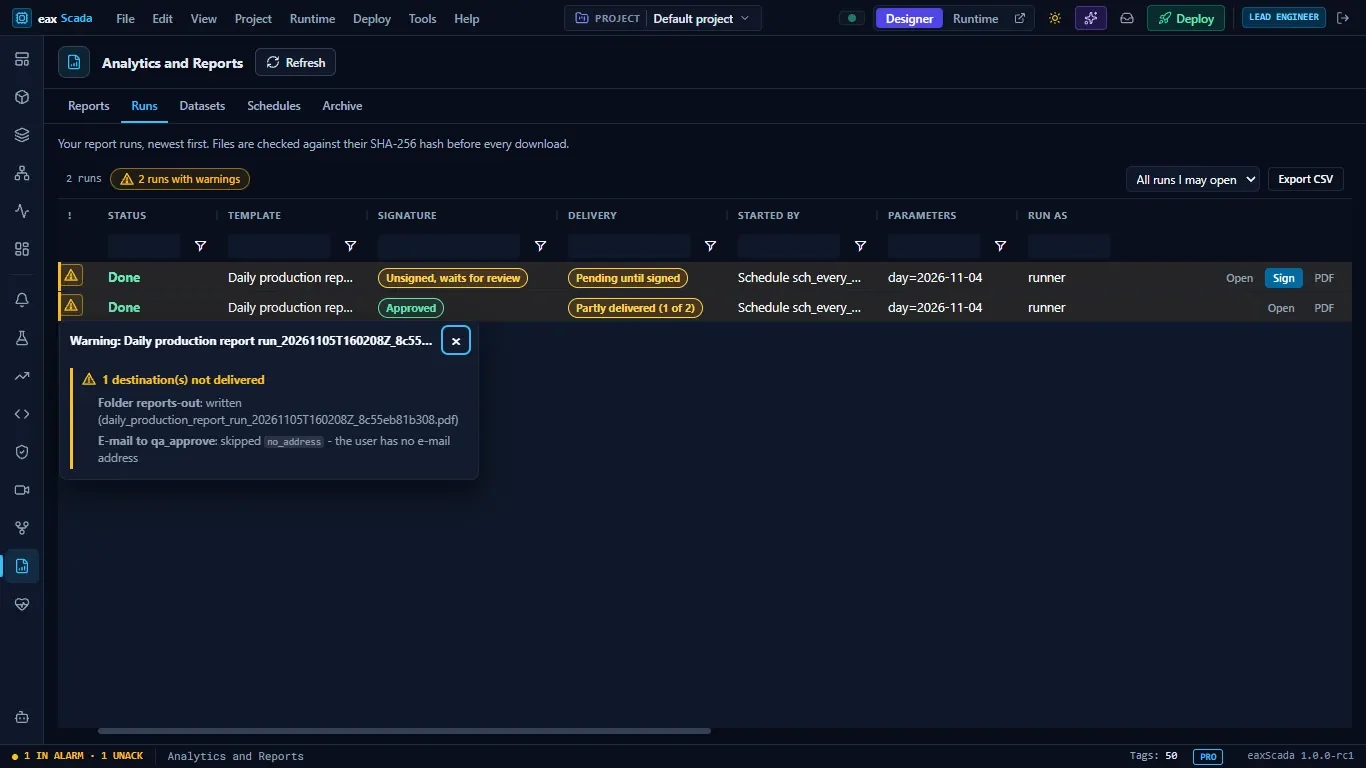
The most common rules (all are in the reference):
| Rule | Fix |
|---|---|
no_base_url |
Set reports.email.base_url, or use attachments. |
email_not_configured, transport_refused |
Set reports.email.smtp.host; keep STARTTLS on. |
attachments_disabled, attachment_too_large |
Use link mode, or allow and size attachments. |
no_address, user_disabled, unknown_user |
Fix the user’s account or the recipient list. |
narrower |
The user may not read every tag of the report: grant the read rights, or remove the user. |
no_external_right, template_not_marked, domain_not_allowed |
Step 4. |
folder_not_allowed |
List the folder in reports.folders.allowed, and check that it exists. |
A message or file that could not be recorded in the audit trail is not sent (audit_not_written). A delivery interrupted by a restart is closed as failed and not sent again automatically: some messages may already have left; check with the recipients before you run the schedule again (Run now). The same holds for a delivery that another HA node had started when it failed over. A fully signed report whose delivery was still waiting is delivered once by the new primary, and a delivery waiting while the licence does not include the module is made once the licence is back.