

MCP AI gateway
Migrated page, not yet verified against the current code. Treat values, paths and examples as indicative until this notice is removed.
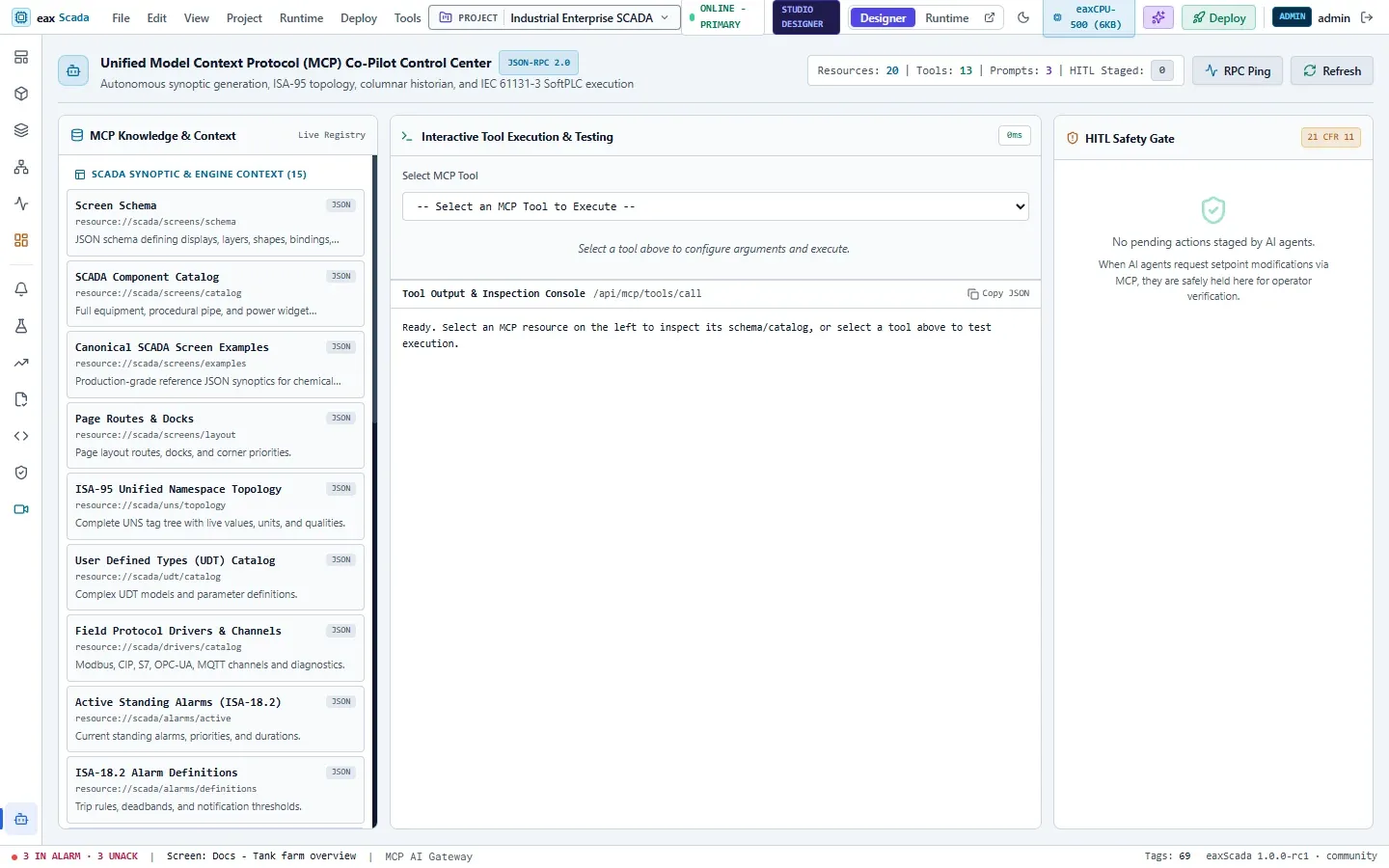
AI can help with diagnostics, maintenance and HMI authoring. Connecting a large language model directly to a control system, though, is dangerous: models hallucinate, reason non-deterministically and could issue unvetted writes to actuators.
eaxScada bridges this gap with the Model Context Protocol (MCP) over JSON-RPC 2.0 (protocol versions 2025-06-18, 2025-03-26 and 2024-11-05). The gateway is a governed, air-gap-friendly layer between external AI assistants (desktop assistants, IDE agents or local models) and the plant.
1. Architecture and governance
Section titled “1. Architecture and governance”- Service or process
- Data store
- Device or controller
- Person or role
- External system
- Check or decision
- Trust boundary
- Data or telemetry
- Command to equipment
- Authentication
Read as text
An AI client talks to the MCP gateway of the eaxScada server and to nothing else. It reads plant data within the read access of its account, and it can stage a tag write, which waits in a queue with the status PENDING. A person who did not stage it approves it with an electronic signature; only then is the value written to equipment through the driver.
Parts
- eaxScada server (trust boundary)
- AI client (external system): desktop app, IDE agent, local model
- Reviewer (person or role): a signed-in person, not who staged it
- MCP gateway (service or process, inside eaxScada server): resources, tools, prompts
- Staged writes (data store, inside eaxScada server): PENDING
- Approval checks (check or decision, inside eaxScada server): tag permission, write policy, e-signature
- Plant data (data store, inside eaxScada server): tags, alarms, screens, history
- Audit trail (data store, inside eaxScada server): written first
- Equipment (device or controller): written by the driver of the tag's channel
Connections
- AI client → MCP gateway (data or telemetry): JSON-RPC, /api/mcp. The AI client calls the gateway at /api/mcp. An AI co-pilot account is refused on every other route of the server.
- Plant data → MCP gateway (data or telemetry): read. The gateway reads tags, alarms, screens and history for the client, within the read access of its account. It reads only.
- MCP gateway → Staged writes (data or telemetry): stage. The tool scada_stage_tag_write records the proposed value in the audit trail and queues it as PENDING. Nothing is sent to equipment.
- Staged writes → Reviewer (data or telemetry): HITL_STAGED over WebSocket. The staged write is announced over the WebSocket as HITL_STAGED to the people who may read its tag.
- Reviewer → Approval checks (authentication): approve, with e-signature. A reviewer approves with an electronic signature. The AI co-pilot account and the account that staged the write are refused.
- Staged writes → Approval checks (next step). The approval checks run on the staged write: the reviewer's permission on the tag, the write policy and the signature.
- Approval checks → Audit trail (data or telemetry): record first. The approval is recorded in the audit trail before the write. If the record cannot be written, nothing is sent and the write stays PENDING.
- Approval checks → Equipment (command to equipment): approved value. After the checks and the record, the approved value is written to equipment by the driver of the tag's channel.
- Staged writes → Equipment (command to equipment, not active): no write without an approval. A staged write that is not approved is never sent. No tool of the gateway writes a tag.
The AI co-pilot account never approves, rejects or withdraws, and never starts, stops, deploys to, rolls back or forces eaxPLC.
1.1 What depends on the edition
Section titled “1.1 What depends on the edition”The gateway, its resources, tools and prompts are part of every edition. Some tools depend on other components:
| Capability | Starter | Pro | Enterprise |
|---|---|---|---|
Embedded MCP server over HTTP (/api/mcp, /api/mcp/rpc) |
Yes | Yes | Yes |
| Read-only resources (UNS tree, alarms, screen schema) | Yes | Yes | Yes |
Screen tools (scada_validate_screen, scada_create_screen, …) |
Yes | Yes | Yes |
scada_stage_tag_write with the human-in-the-loop queue; every approval signed with the approver’s password |
Yes | Yes | Yes |
scada_query_tag_history (named tags over a time range) |
Yes | Yes | Yes |
scada_query_historian (free SQL) |
Yes, on the columnar historian engine | Yes, on the columnar historian engine | Yes |
plc_* tools |
With an eaxPLC runtime | With an eaxPLC runtime | With an eaxPLC runtime |
2. Protocol and endpoints
Section titled “2. Protocol and endpoints”The gateway (internal/mcp/) uses the MCP Streamable HTTP transport, without sessions or a server-to-client stream: a POST of a JSON-RPC request (or a batch) is answered with JSON; a POST of notifications only is answered 202 Accepted; a GET asking for text/event-stream is answered 405. A failing or refused tool answers a result with isError: true and the reason, so the assistant can correct itself; an unknown tool is error -32602 and an unknown resource -32002.
2.1 Endpoints
Section titled “2.1 Endpoints”- JSON-RPC 2.0:
POST /api/mcp(orPOST /api/mcp/rpc), with the account’s session token in theAuthorization: Bearerheader. A request that carries only the browser’s session cookie is refused unless it comes from the eaxScada page itself. - Browser discovery:
GET /api/mcporGET /api/mcp/rpc - REST mirrors:
/api/mcp/resources,/api/mcp/tools,/api/mcp/prompts,/api/mcp/staged
2.2 Initialisation (initialize)
Section titled “2.2 Initialisation (initialize)”An agent starts with a standard JSON-RPC call:
{ "jsonrpc": "2.0", "id": 1, "method": "initialize", "params": { "protocolVersion": "2025-06-18", "capabilities": { "resources": {}, "tools": {}, "prompts": {} }, "clientInfo": { "name": "engineering-assistant", "version": "1.0.0" } }}Response
Section titled “Response”{ "jsonrpc": "2.0", "id": 1, "result": { "protocolVersion": "2025-06-18", "instructions": "eaxScada SCADA server. You act with the rights of the account whose token you carry...", "capabilities": { "resources": { "listChanged": false }, "tools": { "listChanged": false }, "prompts": { "listChanged": false } }, "serverInfo": { "name": "eaxScada-PLC-Unified-MCP", "version": "2.4.0" } }}3. Resources
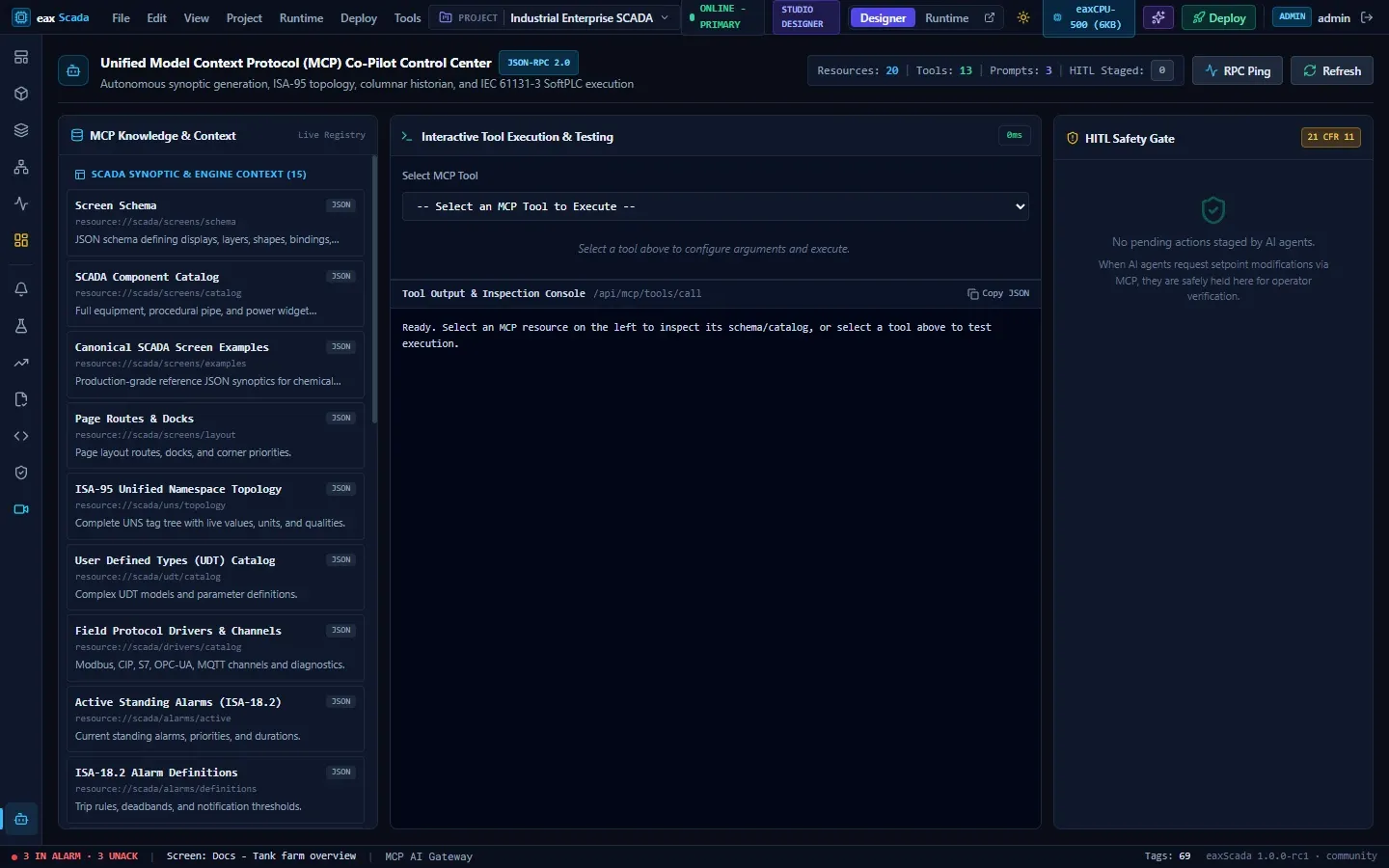
Section titled “3. Resources”Resources give the assistant grounded context, so it does not invent tag names. Call resources/list for the exact URIs; the generated MCP reference will list each one.
3.1 SCADA resources
Section titled “3.1 SCADA resources”| Resource | Content |
|---|---|
| Screen schema | JSON Schema of valid displays: layers, shapes, bindings and animations. |
| Component catalogue | Available components: procedural pipes, vessels, pumps, valves, instruments and widgets. |
| Example screens | Reference synoptics for batch reactors and packaging fluid loops. |
| Runtime layout | Dock modes and corner priority of the operator runtime. |
resource://scada/uns/topology |
The ISA-95 Unified Namespace tag tree with live values, units and qualities. |
resource://scada/udt/catalog |
User Defined Type (UDT) definitions, parameters and nested structures. |
resource://scada/drivers/catalog |
Configured channels (Modbus, CIP, S7, OPC UA, MQTT) and their diagnostics. |
resource://scada/alarms/active |
Standing ISA-18.2 alarms, severities, trip values and durations. |
resource://scada/alarms/definitions |
Alarm conditions, thresholds, deadbands and notification roles. |
resource://scada/recipes/catalog |
ISA-88 master recipes, formula parameters and active batches. |
resource://scada/historian/schema |
The historian table schema, columns and sample queries. It states the quality rule (Good, Uncertain or Bad by the code’s major bits; an overridden value is Uncertain), its sample average reads Good samples only, and it tells the assistant to report Uncertain or Bad samples as such, with their count, never averaged in. |
The topology, active alarms and alarm definitions resources list only the tags the calling account may read (its subscribe rules, see read permissions). A call without a signed-in account reads no tag data.
3.2 eaxPLC resources
Section titled “3.2 eaxPLC resources”| Resource | Content |
|---|---|
resource://plc/st/spec |
IEC 61131-3 Structured Text grammar, direct addressing (%I, %Q, %M) and standard function blocks. |
resource://plc/memory/map |
Live memory map and symbol table. |
resource://plc/program/active |
The Structured Text source currently running. |
resource://plc/tasks/status |
Scan cycle timing and jitter. |
resource://plc/versions/log |
Program version history: commits, authors and timestamps. |
4. Tools
Section titled “4. Tools”Tools let an assistant act, within the limits of its permissions.
4.1 SCADA tools
Section titled “4.1 SCADA tools”| Tool | Safety policy | Inputs | Behaviour |
|---|---|---|---|
scada_validate_screen |
Read-only | screen_json |
Validates a candidate screen against the schema without saving it. |
scada_get_screen |
Read-only | display_id |
Returns the JSON definition of a screen. |
scada_list_screens |
Read-only | none | Lists all screens with layer and component counts. |
scada_list_tags |
Read-only, per tag | prefix, limit (default 200, at most 1000) |
Lists the tags the account may read: path, live value, quality, unit, description. |
scada_list_alarms |
Read-only, per tag | none | Lists the alarm definitions and the standing alarms on the tags the account may read. |
scada_create_screen |
Engineering | display_id, name, width, height, layers |
Creates a new screen; never replaces one (an existing id is refused). An AI account or an API-token client is refused (AI_SCREEN_SAVE_REFUSED) and proposes the screen with scada_propose_screen instead. A shape type the designer does not have is refused. The result lists the Problems panel’s findings. |
scada_update_screen |
Engineering | display_id, layers (and name, width, height, description, folder_id) |
Replaces the layers of an existing screen and keeps what it is not given. |
scada_stage_tag_write |
Human-in-the-loop | tag_path, proposed_value, reason |
Never writes to hardware. Creates a pending StagedAction that an operator must approve. Refused for a tag the account may not read. |
scada_query_tag_history |
Read-only, per tag | tag_paths (1-20 exact paths), from/to (RFC 3339) or last_minutes (default 60), bucket_seconds, limit (default 500, at most 1000 per tag), include_before (default false) |
Returns raw points, or min/max/avg buckets, of the named tags. Bucket min/max/avg use Good samples only, and each bucket gives its quality (section 7.1). With include_before, each tag also gets before, its last sample before the range (section 7.1). Every tag must be readable by the account, or the whole request is refused. No wildcards, no SQL. When the history store does not answer and no complete copy can, the tool returns an error (never a shorter history), and the assistant reports it. |
scada_query_historian |
Governed SQL, full read only | sql_query |
Runs one SELECT over the history table on the columnar historian engine. Only for accounts that may read every tag (see section 7). Returns {row_count, rows, row_limit, warning?}: every sample, each row with its quality_class, and a warning when the query ignores quality (section 7.1). |
scada_list_checkpoints |
Read-only | none | Lists the project’s checkpoints: id, name, note, kind (named, automatic before a deploy or a revert, daily), locked, author, creation time, product version and document counts per domain. |
scada_get_checkpoint |
Read-only | checkpoint_id |
Returns one checkpoint’s summary and the names of the documents it holds per domain. |
scada_compare_checkpoints |
Read-only | a, b (checkpoint ids or current; b defaults to current) |
Lists what was added, changed and removed per domain from a to b, with the safety-relevant differences flagged (alarm limits, channel endpoints, write access, screen commands and interlocks, the emergency-stop tag, mapping address, type, scaling and target). |
The three checkpoint tools answer exactly what GET /api/checkpoints, GET /api/checkpoints/{id} and GET /api/checkpoints/compare answer, under the same checks: the Starter edition or above and an account at engineer level. No tool takes, reverts, locks, unlocks or deletes a checkpoint: a person does that in the Studio (Project > Checkpoints), and a revert stays a signed act.
4.2 eaxPLC tools
Section titled “4.2 eaxPLC tools”| Tool | Safety policy | Inputs | Behaviour |
|---|---|---|---|
plc_compile_st |
Dry run | source_code |
Compiles the program as a deploy would, through eaxPLC’s compile check, and returns the diagnostics; nothing is deployed. |
plc_deploy_program |
Engineering; never the AI | source_code, commit_message, author |
Hot-deploys Structured Text to the running PLC at a scan boundary. |
plc_get_symbols |
Read-only | none | Returns addresses, types and current values of PLC symbols. |
plc_force_io |
plc.force right; never the AI |
action (force, unforce, clear_all), address, value_bool or value_num, reason |
Forces, changes or releases a forced value on the PLC (no e-signature; the PLC audits every force event). Refused for the AI co-pilot and over the MCP JSON-RPC endpoint, where it is not listed: only a person (Lead_Engineer, Administrator) runs it, from the Studio MCP explorer. |
plc_get_forces |
Read-only | none | Lists the active forces: address, value, who forced it and since when. |
plc_control |
Supervisory; never the AI | action (start, stop, reset, reset_cold) |
Starts, stops or resets the PLC scan. |
plc_rollback_version |
Supervisory; never the AI | commit_hash, reason |
Rolls the running program back to an earlier version. |
PLC calls carry the signed-in eaxScada user and go through the same permission, e-signature and audit checks as calls from the eaxPLC Studio. An account that holds the AI_CoPilot role, whatever other roles it holds, is refused plc_control, plc_deploy_program, plc_rollback_version and plc_force_io (the refusal is audited), and tools/list does not offer them to it.
5. Prompts
Section titled “5. Prompts”eaxScada bundles three prompt templates, written like standard operating procedures:
scada/generate_synopticguides an assistant to author ISA-101 synoptics in the dark industrial style (#090d16canvas,#1e293bequipment, procedural pipes and tag bindings).plc/generate_st_programguides an assistant to write deterministic IEC 61131-3 Structured Text that follows the zero-allocation rule, direct addressing (%IX,%QX,%MW) and state-machine conventions.scada/diagnose_alarmis a root-cause sequence:- read the standing alarms resource;
- analyse trends with
scada_query_tag_history; - inspect live PLC values with
plc_get_symbols; - propose a corrective setpoint with
scada_stage_tag_write.
6. Human-in-the-loop execution
Section titled “6. Human-in-the-loop execution”An AI assistant must never actuate equipment directly.
6.1 Staged action lifecycle
Section titled “6.1 Staged action lifecycle”- Product
- Data store
- Device or controller
- Person or role
- External system
- Data or telemetry
- Command to equipment
- Authentication
- Refusal
Read as text
The AI client stages a tag write through the MCP gateway. The eaxScada server checks it, records it in the audit trail and queues it as PENDING; nothing is sent. A reviewer is told and either rejects it with a reason or approves it with an electronic signature. An approval passes its own checks and is recorded before the server writes the value through the driver.
Participants
- AI client (external system)
- eaxScada (product): MCP gateway
- Audit trail (data store)
- Reviewer (person or role)
- Equipment (device or controller)
Steps, in order
- AI client → eaxScada (data or telemetry): scada_stage_tag_write. tag path, value, reason
- eaxScada: Staging checks: runtime running, primary node; a role that may stage; read access to the tag; an audit trail (not Free); not a safety write target; the write policy's limits; the tag exists
- A check fails:
- eaxScada → AI client (refusal): Refused, isError: true. nothing is staged
- eaxScada → Audit trail (data or telemetry): Records STAGE_ACTION first
- eaxScada → AI client (reply): Staged: ACT-…, PENDING. nothing is sent
- eaxScada → Reviewer (data or telemetry): HITL_STAGED. to people who may read the tag
- Rejected:
- Reviewer → eaxScada (data or telemetry): Rejects, with a reason. REJECTED, recorded, nothing written
- Approved:
- Reviewer → eaxScada (authentication): Approves, with e-signature
- eaxScada: Approval checks: tag not a safety target, else REFUSED; not the AI co-pilot account; not the account that staged it; publish permission on the tag; write policy and signature; runtime running, still PENDING
- eaxScada → Reviewer (refusal): A check fails: refused. stays PENDING (safety target: REFUSED)
- eaxScada → Audit trail (data or telemetry): Records HITL_APPROVE_AI_ACTION. not written: stays PENDING, 503
- eaxScada → Equipment (command to equipment): Writes the value, APPROVED. through the driver of the tag
The account that staged an action cannot also approve it, and neither can the AI co-pilot account. A tag that does not exist, a safety write target and a value outside the write policy’s limits are refused at staging time. The staged action is announced over the WebSocket as HITL_STAGED, only to the people who may read its tag. The approved value is written by the driver of the tag’s channel (or by the tag engine for a tag no channel maps); a read-only mapping, a value outside the tag’s range or a channel that is not running refuses it there, and the failure is recorded as HITL_APPROVE_AI_ACTION_FAILED.
6.2 StagedAction schema
Section titled “6.2 StagedAction schema”| Field | Content |
|---|---|
id |
ACT- and eight hexadecimal characters |
tag_path |
the tag the value is proposed for |
proposed_value |
the value the AI client proposes (a number; true and false are staged as 1 and 0) |
current_value |
the tag’s value when it was staged |
reason |
the client’s reason (proposed over MCP (no reason given) when it gives none) |
agent_id |
the client’s own name for itself (mcp when it gives none) |
staged_by |
the signed-in account that staged it |
timestamp, timestamp_iso |
when it was staged, in nanoseconds since 1970 and as UTC text |
status |
PENDING, APPROVED, REJECTED, WITHDRAWN or REFUSED |
approved_by |
the person who approved, rejected or withdrew it |
approval_sig |
the signature of an approval |
- Refusal
Read as text
A staged write starts PENDING. Another person can approve it (APPROVED, then the write) or reject it with a reason (REJECTED). The person who staged it can withdraw it with a reason (WITHDRAWN). If its tag has become a safety write target by the time someone approves it, it is REFUSED and never written. The four end states are final.
States
- PENDING (state): waits for a person
- APPROVED (state): recorded, then written
- REFUSED (state): never written
- REJECTED (state): nothing written
- WITHDRAWN (state): nothing written
Transitions
- Start → PENDING (transition). Staging records STAGE_ACTION and queues the write as PENDING.
- PENDING → APPROVED (transition): another person approves, with e-signature. Not the AI co-pilot account and not the account that staged it. The approval is recorded in the audit trail first; then the value is written. A write that fails is recorded and the state stays APPROVED. Any other failed check of the approval leaves the write PENDING.
- PENDING → REJECTED (transition): rejected, with a reason. A reviewer rejects it; a reason is required.
- PENDING → WITHDRAWN (transition): the stager withdraws. Only the account that staged it, with a reason. When that account uses the reject route, the write is withdrawn too. An API token cannot withdraw.
- PENDING → REFUSED (refusal): tag is now a safety write target. Checked when someone approves, before any signature. Recorded as HITL_REFUSED_SAFETY_TARGET and AI_PROPOSAL_REFUSED.
An end state is final: it cannot be approved, rejected or withdrawn.
6.3 Changes on the emergency-stop signal and safety tags are refused
Section titled “6.3 Changes on the emergency-stop signal and safety tags are refused”An AI client never adds or changes a command on a safety write target, never makes one writable and never stages a value for one. The change is refused, not merely flagged: a person makes it in the Studio. The safety write targets are:
- the plant emergency-stop signal: the tag set in the project’s settings (
Plant/Safety/EmergencyStopin a new project), and the system’s legacy pathSite1/Safety/PlantEmergencyStop, which projects created before the setting existed still use; - every tag watched by an alarm of category Safety (any case), or by a built-in alarm (plant emergency stop, PLC faults, server resources).
They are read from the live alarm definitions at every check, so a tag that became safety-related after a proposal was made is protected when the proposal is applied.
- Service or process
- Check or decision
- Refusal
Read as text
Every change an AI proposes, whether a screen, a dashboard, a tag mapping, an eaxTag, a script or a staged write, is checked against the safety write targets: the e-stop signal tag and the tags watched by Safety or built-in alarms. If the check cannot run, or the change touches a target, it is refused and recorded. A change that passes waits for a person and is checked again when it is applied or approved.
Parts
- An AI change (service or process): screen, dashboard, tag, eaxTag, script, staged write
- Can the check run? (check or decision): safety check available, document readable
- Touches a target? (check or decision): e-stop signal tag, tags of Safety or built-in alarms
- Refused (outcome): recorded, nothing saved or written
- Waits for a person (service or process): a proposal to apply, a write to approve
- Checked again (check or decision): when it is applied or approved
- Applied (outcome): or approved and written
Connections
- Start → An AI change (next step)
- An AI change → Can the check run? (next step)
- Can the check run? → Touches a target? (next step): yes
- Can the check run? → Refused (refusal): no: fails closed. When the safety check is not available on the server, or a stored document cannot be read, the change is refused.
- Touches a target? → Refused (refusal): touches one. The change is refused, recorded as AI_PROPOSAL_REFUSED, and the tool answers isError: true.
- Touches a target? → Waits for a person (next step): no
- Waits for a person → Checked again (next step)
- Checked again → Refused (refusal): touches one now. At apply, a proposal that now touches a target is closed as failed and answered with HTTP 409, status refused. A staged write whose tag became a target is REFUSED at approval, before any signature.
- Checked again → Applied (next step): no
The same server check covers MCP clients (the AI_CoPilot account, an IDE agent) and the in-product AI assistant:
| AI change | Refused when |
|---|---|
A screen (scada_propose_screen, an assistant display) |
An object adds or changes a command on a target: a button, an input, a faceplate, an interaction write, a dashboard placed on the screen, whatever the value (raising or clearing the signal). Also when the tag an object writes cannot be derived and could be a target: a {Param} pattern that matches it, a faceplate writing under a folder, and every run_command script. |
A dashboard (scada_propose_dashboard) |
A card writes a target (push button, reactor START / STOP / E-STOP, pump, PID mode or setpoint). |
A tag mapping or eaxTag (scada_propose_tag_mapping, an assistant driver tag or eaxTag) |
It binds the emergency-stop signal, or gives write access to a tag watched by a safety alarm. |
A staged setpoint (scada_stage_tag_write, POST /api/mcp/stage) |
The tag is a target: nothing is staged. An action staged before its tag became one is refused at approval and never written. |
An eaxTags script (the assistant’s eax_script) |
A tags.set(...) writes a target, by its path, a constant, a list of paths, a template or a name the code computes that can be one ('Plant/Safety/' + name). Also when the script’s writes cannot be derived: tags used other than as tags.get(...) or tags.set(...) (an alias, a method taken as a value), eval, Function, this, globalThis, with, classes, .constructor, call / apply / bind, or a member read by a computed name on anything but a list or record the script declares. |
Screen scripts. The AI co-pilot account never holds the right screens.script: a screen saved through the MCP screen tools under that account that adds or changes a screen script (a Run script action, a startup script) is refused and nothing is saved. An AI proposal applied by a person is checked as that person.
What stays allowed:
- Reading. A screen or card that only shows the signal, and a script that reads it (
if (tags.get('Plant/Safety/EmergencyStop') > 0) ...), are not commands. - Removing. Removing a command on a target, or deleting a screen that holds one, is allowed; the proposal carries a note such as “Removes the operator command on the emergency-stop signal …”. An AI change elsewhere on a screen that keeps a person’s emergency-stop button unchanged is allowed.
How it is checked:
- When the change is proposed, and again when a person applies it, against the alarms and the emergency-stop setting as they are then. A proposal refused at apply is closed (
failed, with the reason) and nothing is saved. - The check never writes anything. A script is analysed from its source, never run.
- It fails closed: if the check cannot run on the server, the change is refused.
- Every refusal is journaled in the security audit trail as
AI_PROPOSAL_REFUSED(author, kind, target, reason).
What people see
Section titled “What people see”- An MCP client gets a tool result with
isError: trueand the reason, for examplerefused: object btn_estop writes Plant/Safety/EmergencyStop, the plant emergency-stop signal; AI clients cannot add or change commands on it - a person does that in the Studio. Applying an older proposal answers409with statusrefused. - The AI assistant panel shows a refused proposal as a card marked Refused by the safety check, with the server’s reason as written (which tag, which safety alarm, the script line) and no Apply button. A proposal refused when it is applied changes to Refused by the safety check when applied. The notes of a change that removes a command are listed under Safety notes. The assistant is told that a refusal is final: it explains it and does not try again in another form.
- Operators see no change on their screens: nothing was saved.
Changing a safety tag on purpose
Section titled “Changing a safety tag on purpose”The refusal applies to AI clients only. To change a command on the emergency-stop signal or on a safety tag, a person does it:
- Sign in to the Studio with your own engineering account (not the AI co-pilot account) and make the change yourself: the screen command, the dashboard card, the tag mapping, the eaxTag or the script. The change is journaled under your name.
- To have the change signed, turn on Require an e-signature to deploy: the changed screens reach the operators only with your electronic signature over what is deployed.
- For a command that writes the signal or a safety tag, choose Require E-Signature as its confirmation: every write is then signed by the operator and checked by the server (see How eaxScada protects tag writes).
- To move the emergency-stop signal to another tag, change the plant emergency-stop signal tag in the project’s settings. The change is refused while the signal is raised or its alarm is not back to normal.
- A tag stops being a safety write target only when the alarm that watches it changes (another category or another tag). That is an engineering change by a person, and the next check uses it.
No role, flag or signature lets an AI client’s change on a safety write target through.
6.4 Withdrawing a proposal or a staged write
Section titled “6.4 Withdrawing a proposal or a staged write”The person who made a proposal or staged a tag write can close it before it is reviewed:
| Route | Body | Result |
|---|---|---|
POST /api/mcp/withdraw/proposal |
{"id": "...", "reason": "..."} |
The proposal is closed with status withdrawn, journaled AI_PROPOSAL_WITHDRAWN. |
POST /api/mcp/withdraw |
{"action_id": "...", "reason": "..."} |
The staged write is closed with status WITHDRAWN; nothing is written. |
- Only the author may withdraw: anyone else gets
403. A reviewer who does not want the change rejects it instead (POST /api/mcp/reject/proposal,POST /api/mcp/reject). - A reason is required: a blank one answers
400withreason_required. - The caller is a signed-in person at supervisor level. The AI co-pilot account and API tokens are refused.
7. Read-only historian queries
Section titled “7. Read-only historian queries”Assistants read history in one of two ways, both under the read permissions of the account they sign in with:
scada_query_tag_history(every account): the assistant names the tags (exact paths, up to 20) and a time range. Each tag is checked against the account’s subscribe rules; if any is not readable, the request is refused with403and nothing is returned. The query is built by the server with parameters: no SQL comes from the assistant.scada_query_historian(free SQL): reserved for accounts that may read every tag, that is theAdministratorrole or a>subscribe rule with no deny rule. A free query can reach any row, and eaxScada does not try to read tag filters out of SQL, so it is refused (403) for every other account. The queries it runs stay governed: a singleSELECTover the history table only, parsed and allow-listed, no files, URLs, settings or functions that reach the host, a row cap of 1000 and a 5 s timeout, on a connection whose changes are rolled back.
Every edition stores history in the columnar historian engine, its single store: no CSV copy is written next to it. For files analysis tools can read directly, Pro and Enterprise export each closed day to Hive-partitioned Parquet (historian.export).
7.1 Data quality in the values the assistant reports
Section titled “7.1 Data quality in the values the assistant reports”The assistant reports history values to people, so non-Good data is never averaged in:
- Buckets use Good samples only. When
scada_query_tag_historyreturns buckets (bucket_seconds), each bucket’smin,maxandavgare worked out from its Good samples only. A bucket with no Good sample has no average, minimum or maximum (null). - Each bucket gives its quality:
good(every sample Good),bad(every sample Bad) oruncertain(anything in between: some Uncertain or overridden samples, or Bad samples beside Good ones), withgood_count,uncertain_countandbad_count;countis every sample. An overridden value (entered by an operator) counts as Uncertain, never Good. - First and last are the bucket’s first and last samples whatever their quality;
first_qualityandlast_qualitysay which. - The sample before the range, on request. A tag logged on change that has been Bad, or steady, for longer than the range has no sample inside it. With
"include_before": true, each tag’s entry also getsbefore: its last sample beforefrom, withtimestamp_iso,value,quality(the code) andquality_class(good,uncertainorbad). It comes with raw points and with buckets, only when the entry holds the whole range (not cut bylimit), and only when the tag has a sample before the range. The search is not bounded in time. Withoutinclude_before, the answer is unchanged. See The sample before a range. - The assistant is told to say so. The tool’s description tells the assistant that an uncertain or bad bucket is not a plain reading: it must report it as uncertain or bad, with its counts, never as a normal value. Each tag’s answer gives
buckets_not_good, the number of its buckets that are not good. - Free SQL (
scada_query_historian) returns every sample, Bad and Uncertain ones too, and the query is never rewritten. Each row that carries a sample’s quality code getsquality_class(good,uncertainorbad;<alias>_quality_classfor a quality column under another name; a column of the query’s own namedquality_classis never overwritten). A query that readsvaluebut neither selects nor filters onqualityis answered with awarning: “this query ignores sample quality; bad and uncertain samples are included — add the good-quality filter: (quality % 256) >= 192 AND quality <> 512”. Such a result is unchecked: the tool’s description tells the assistant to report it as unchecked, never as a plain reading, and to filter averages, minimums and maximums on Good samples withWHERE (quality % 256) >= 192 AND quality <> 512, or to selectquality. The historian schema resource gives the same filter. Queries that filter on quality are answered as before, without a warning.
The answer of scada_query_historian (also through POST /api/mcp/tools/call, inside result):
| Field | Meaning |
|---|---|
row_count |
the number of rows returned |
rows |
the rows, each with quality_class (or <alias>_quality_class) when it carries a quality code |
row_limit |
the row cap (1000): at the cap there may be more rows |
warning |
only when the query reads value without selecting or filtering on quality: the text above |
The full rule is in the historian’s quality in buckets and quality in free SQL answers.
8. Connect an AI assistant
Section titled “8. Connect an AI assistant”Any MCP client that supports HTTP servers can connect to the gateway with the session token of a dedicated account in the Authorization header:
{ "mcpServers": { "eaxscada": { "type": "http", "url": "http://localhost:8080/api/mcp", "headers": { "Authorization": "Bearer <session token>" } } }}The assistant then acts with the permissions of the account it signs in with, for reads as well as writes. Give it the AI_CoPilot role, which can read and stage, but not write, and subscribe rules for the areas it may read. See Connect Claude or another MCP client and Security and 21 CFR Part 11.
9. See also
Section titled “9. See also”- The Unified Namespace: the topic tree behind the topology resource.
- Screen designer: the screen format used by
scada_create_screen. - Historian: the tables queried by
scada_query_historian. - Security and 21 CFR Part 11: the audit ledger and e-signatures that govern approvals.